
How to create an SSH key
SSH key pair is a pair of keys generated through encryption algorithm, which is divided into public key and private key. Compared with the traditional username and password authentication method, SSH keys do not require entering a password, are convenient for remote login, have no threat of brute force cracking, and are more secure and reliable.
Operating steps
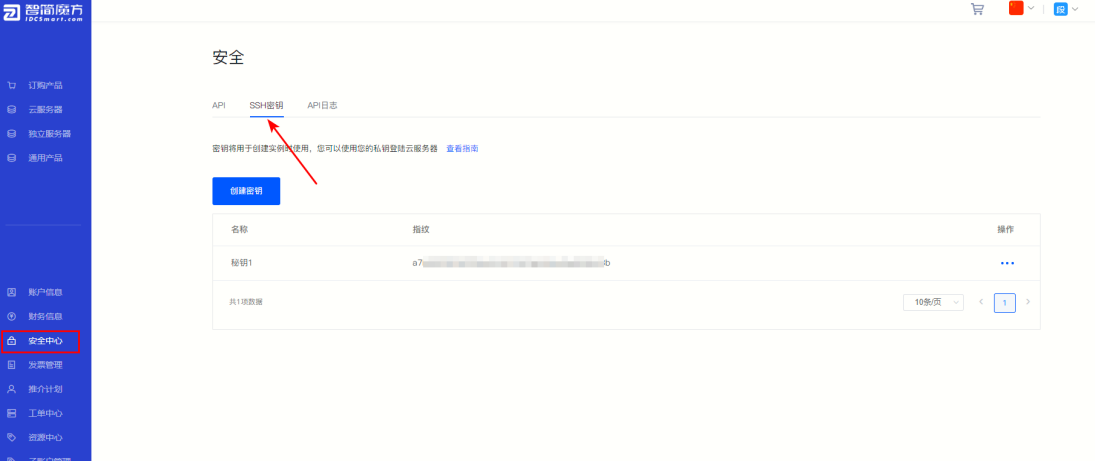
①Click “Security Center” , select “SSH key” 。
Figure 1
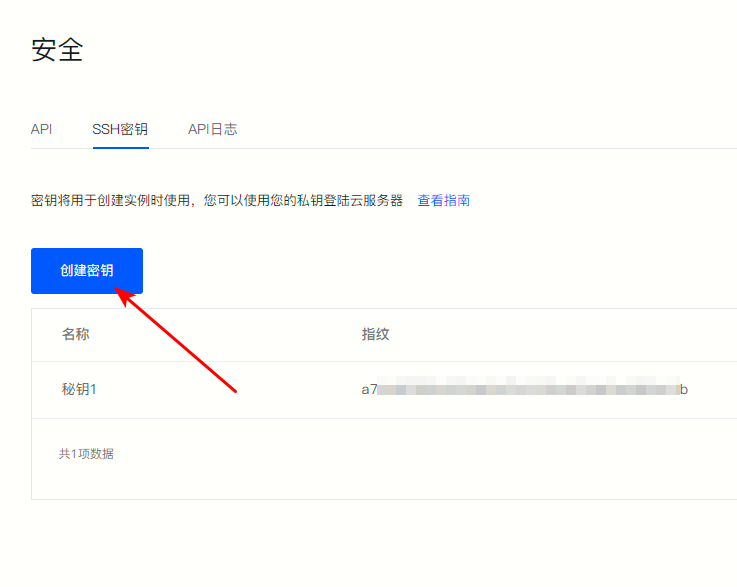
②Click on the upper left corner of the page "Create Key" 。
Figure 2
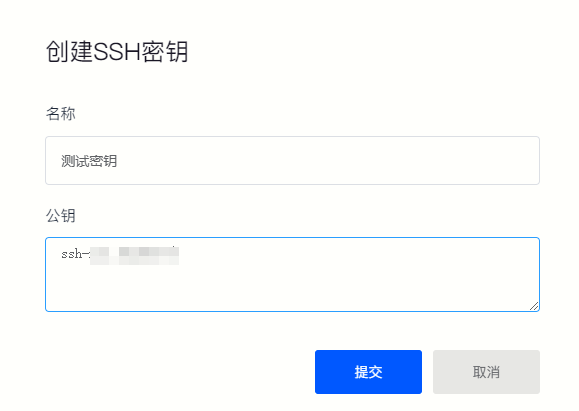
③ Fill in the key name and public key according to the pop-up window prompts, and click"Submit" That’s it.
Figure 3
Back to List
