
How to register an account
If you want to obtain any products or services we provide you, we recommend that you register as a member first so that we can provide you with more service resources.
Operating steps
① On the official website of Zhijian Rubik's Cube, click on the upper right corner “Console” , enter the member center login page.
Figure 1
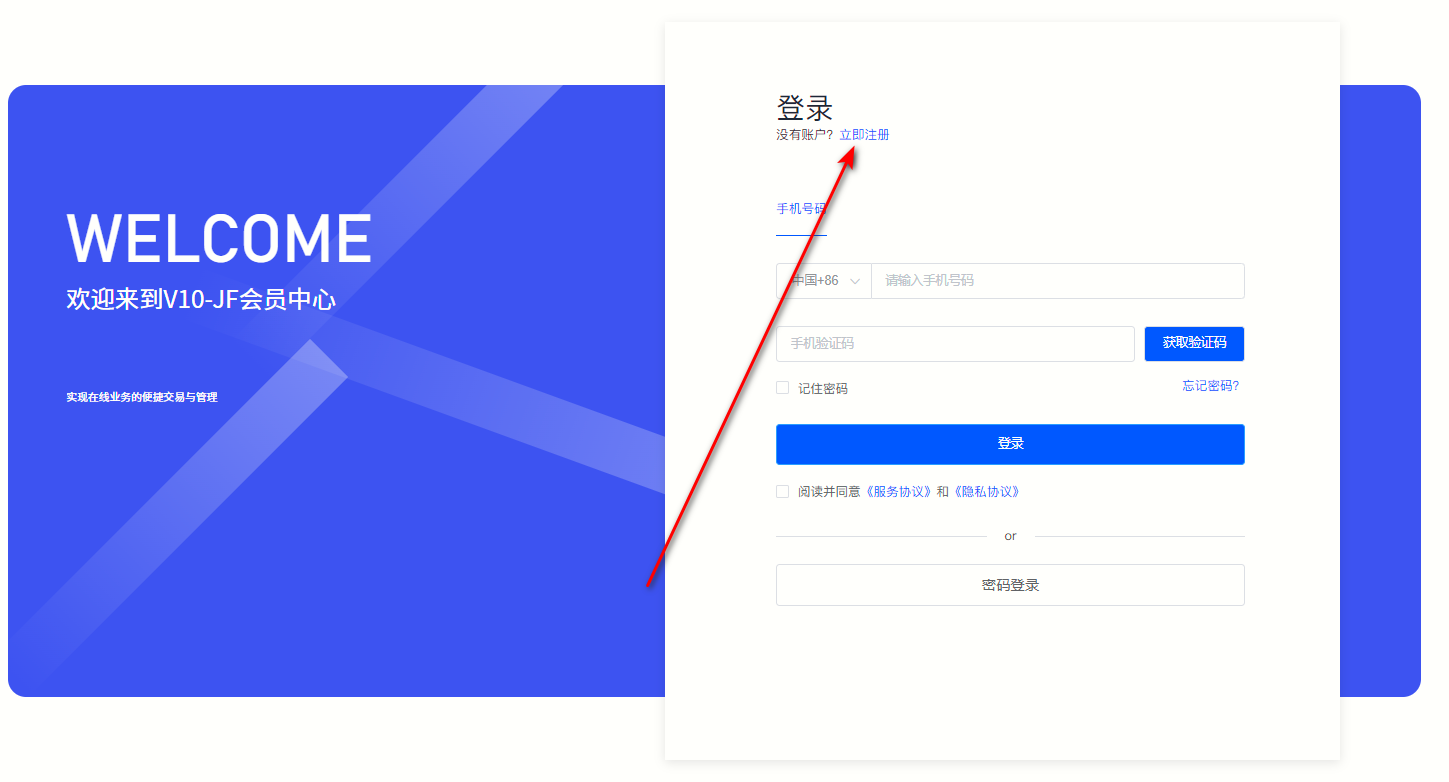
②As shown above (Picture 1), click “Register Now” Enter the registration page. (If you already have an account, please log in directly, see How to log in to the member center 。)
Figure 2
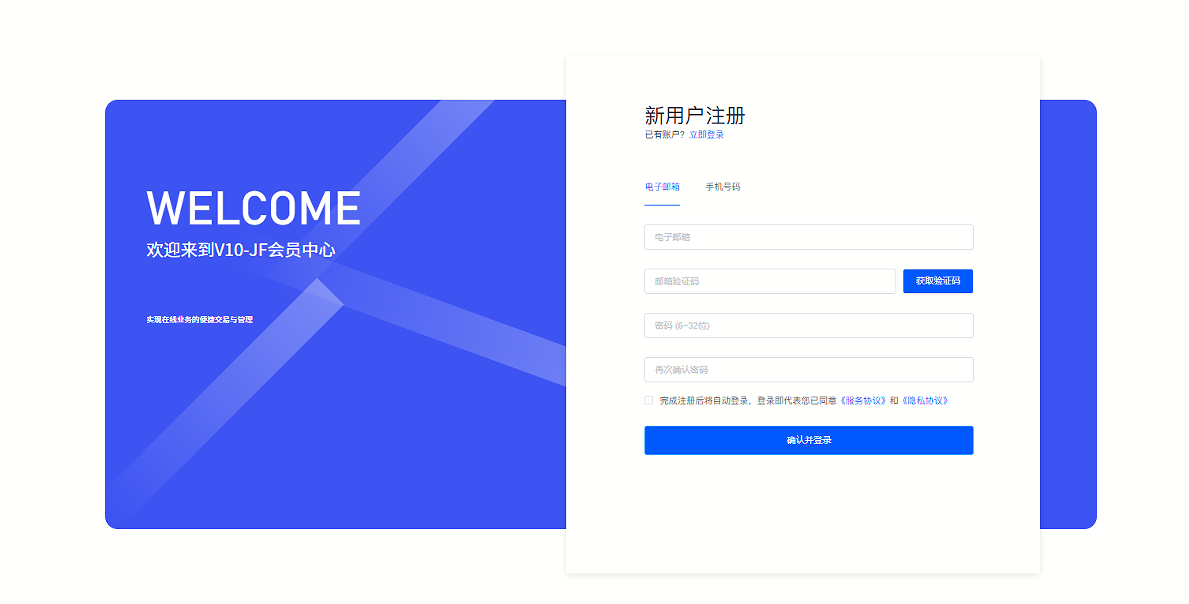
③You can choose "E-mail" or "Mobile phone number" as a registered account.
·E-mail registration
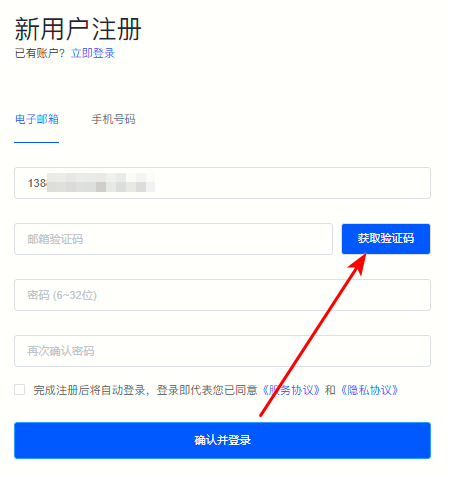
ⅰ. Enter your email address and click "Get verification code" , please fill in the verification code promptly after receiving the verification code email.
Figure 3
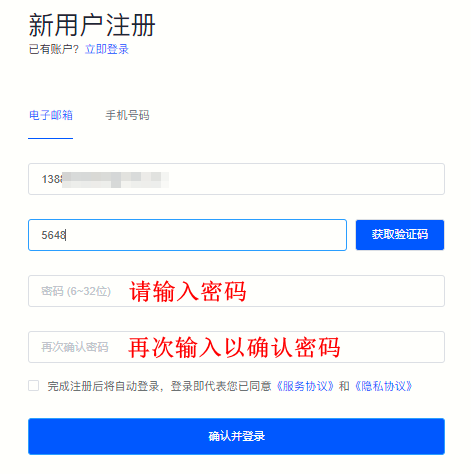
ⅱ. Enter the 6-32 digit password and enter it again to confirm the password.
Figure 4
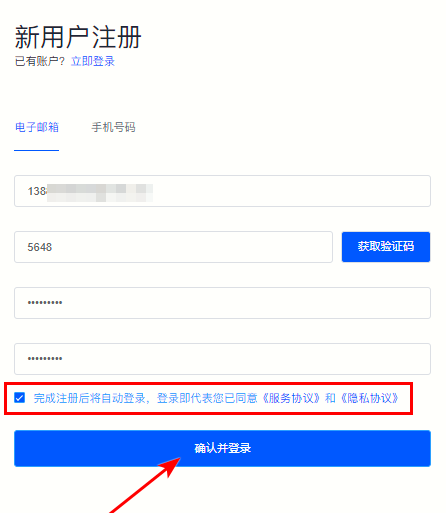
ⅲ. Check "You will automatically log in after completing the registration. Login means that you have agreed to the "Service Agreement" and "Privacy Agreement" " , click "Confirm and log in" , the system will automatically jump to the member center.
Figure 5
·Mobile phone number registration
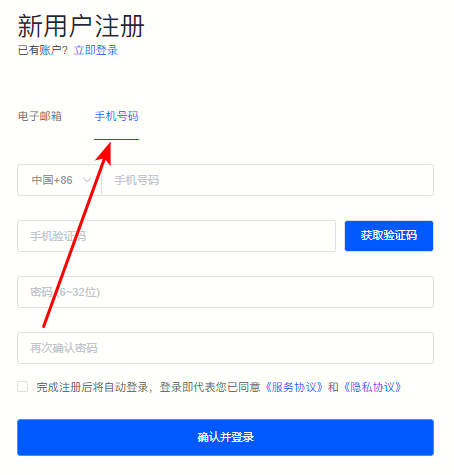
ⅰ. Switch to "Mobile phone number" Register.
Figure 6
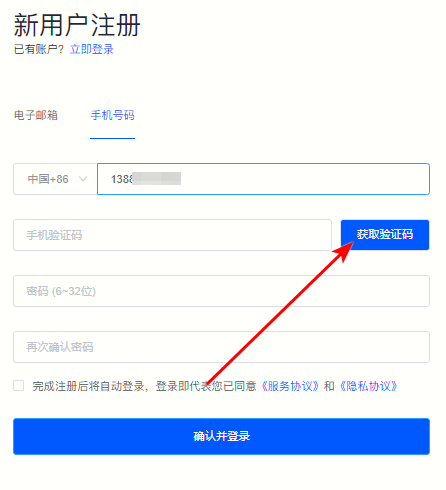
ⅱ. Enter the mobile phone number and click "Get verification code" , and fill in the verification code.
Figure 7
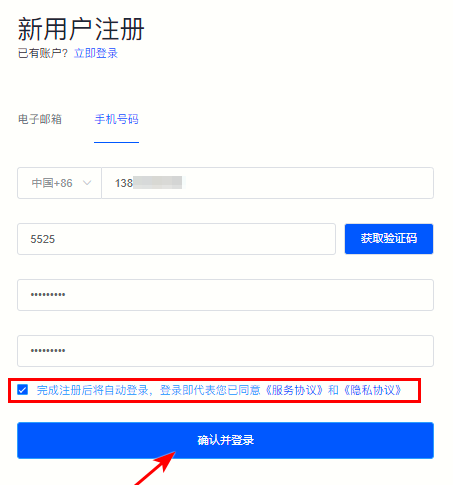
ⅲ. Enter the 6-32 digit password and enter it again to confirm the password and check "You will automatically log in after completing the registration. Login means that you have agreed to the "Service Agreement" and "Privacy Agreement" " , click "Confirm and log in" , the system will automatically jump to the member center.
Figure 8
Back to List
