What to do if you forget your password?
If you forget your login password when logging into the member center, you can use your mobile phone numberVerification code login, you can also click "Forgot password" Reset password and log in.
·Verification code login
·Forgot password
Operating steps
1. Verification code login
Please see How to log in to the member center 。
2. Forgot password
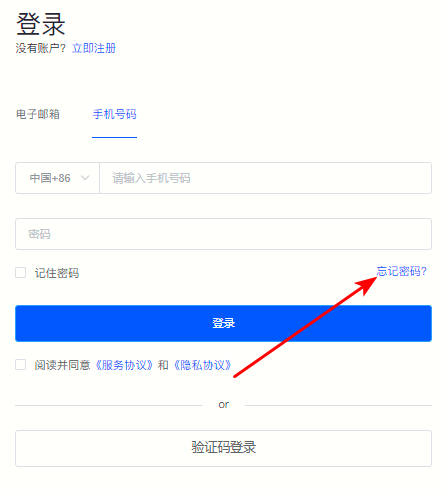
①Enter the member center login page and click "Forgot password" 。
Figure 1
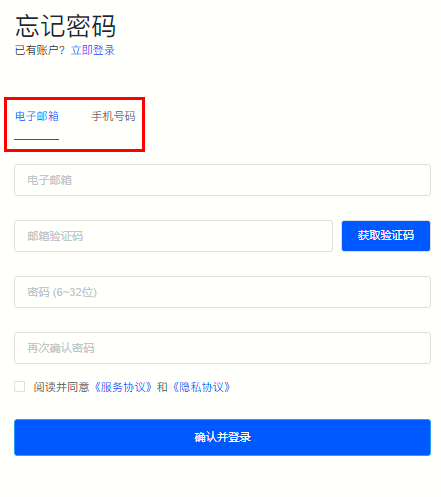
②Please choose according to your account type "E-mail" or "Mobile phone number" Proceed to the next operation.
Figure 2
③Enter your account number (email/mobile phone number) and click "Get verification code" and enter the verification code.
Figure 3
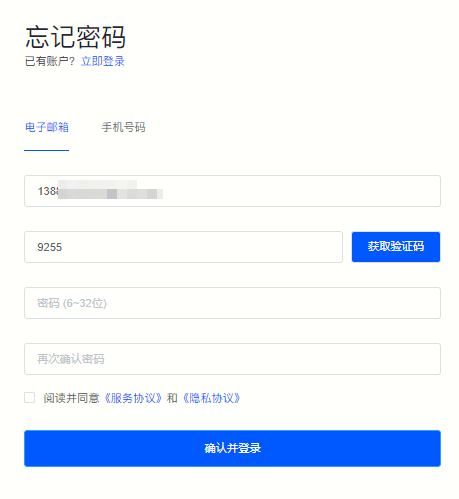
④Enter the new password and confirm the password again.
Figure 4
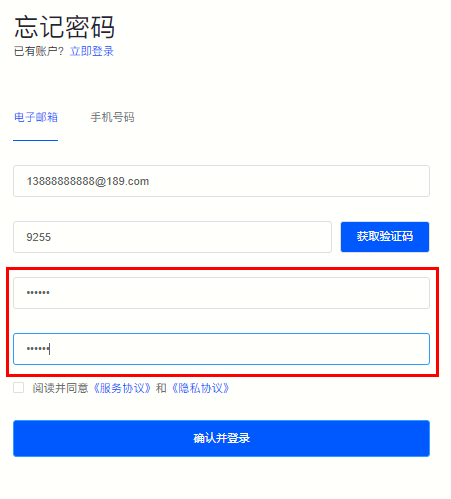
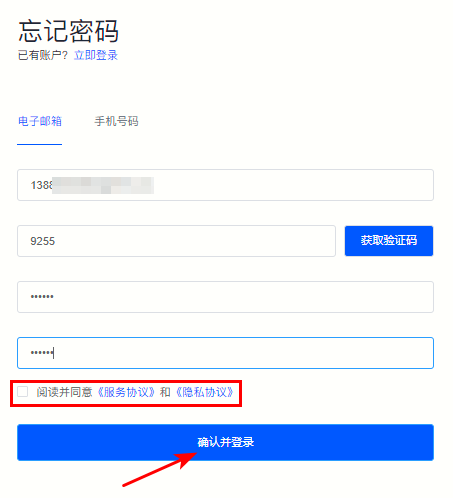
⑤Check “Read and agree to the “Service Agreement” and “Privacy Agreement” , click"Confirm and log in"You can log in to the member center directly.
Figure 5