How to order products
You can purchase any products or services you need on our official website, or on Member Center - Order products Page purchase.
Operating steps
①In Member Center , click Order products View all products and services.
Figure 1
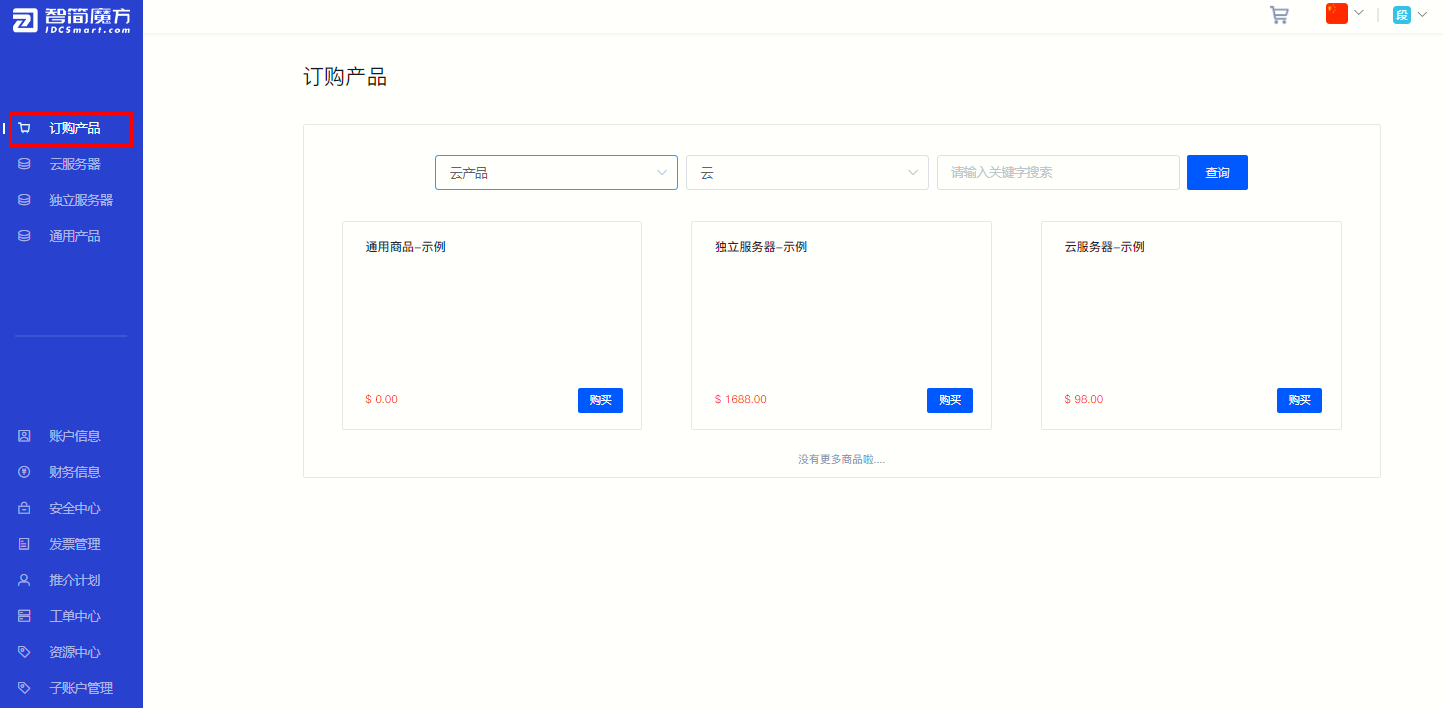
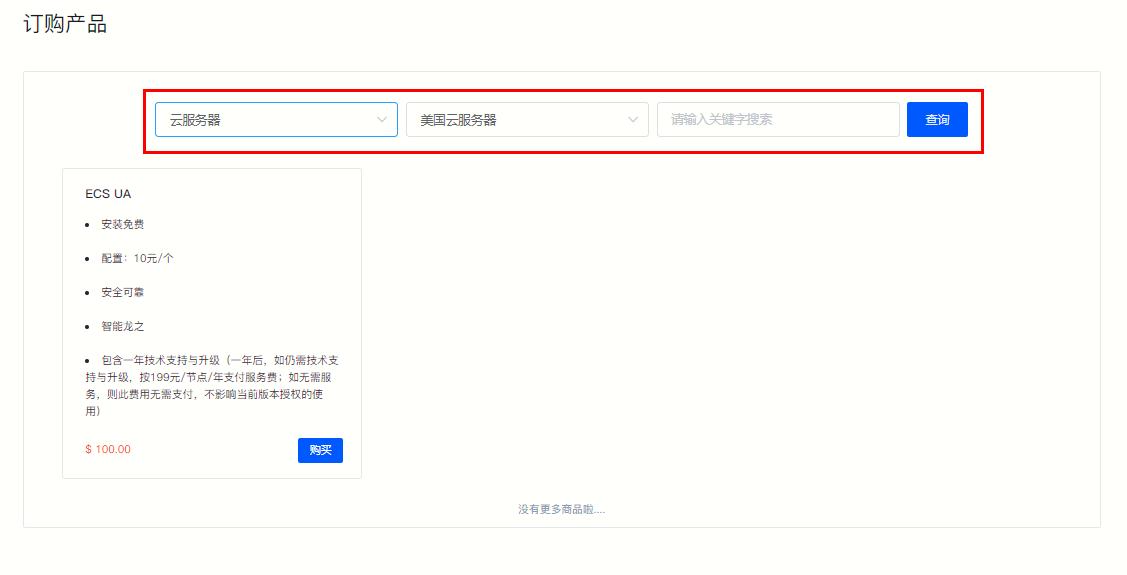
②Select products. You can find your favorite products in the following ways:
·Purchase directly
in Order products Select the product you need directly on the page.
·Category screening
You can select product categories in the checkbox above and click "Query" to filter.
·Keyword search
Enter keywords directly in the search box and click "Search" to filter.
Figure 2
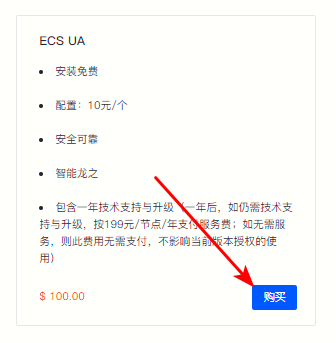
③After selecting the product of interest, click Purchase Enter the product details page.
Figure 3
④Select the configuration according to the usage requirements on the product details page.
Figure 4
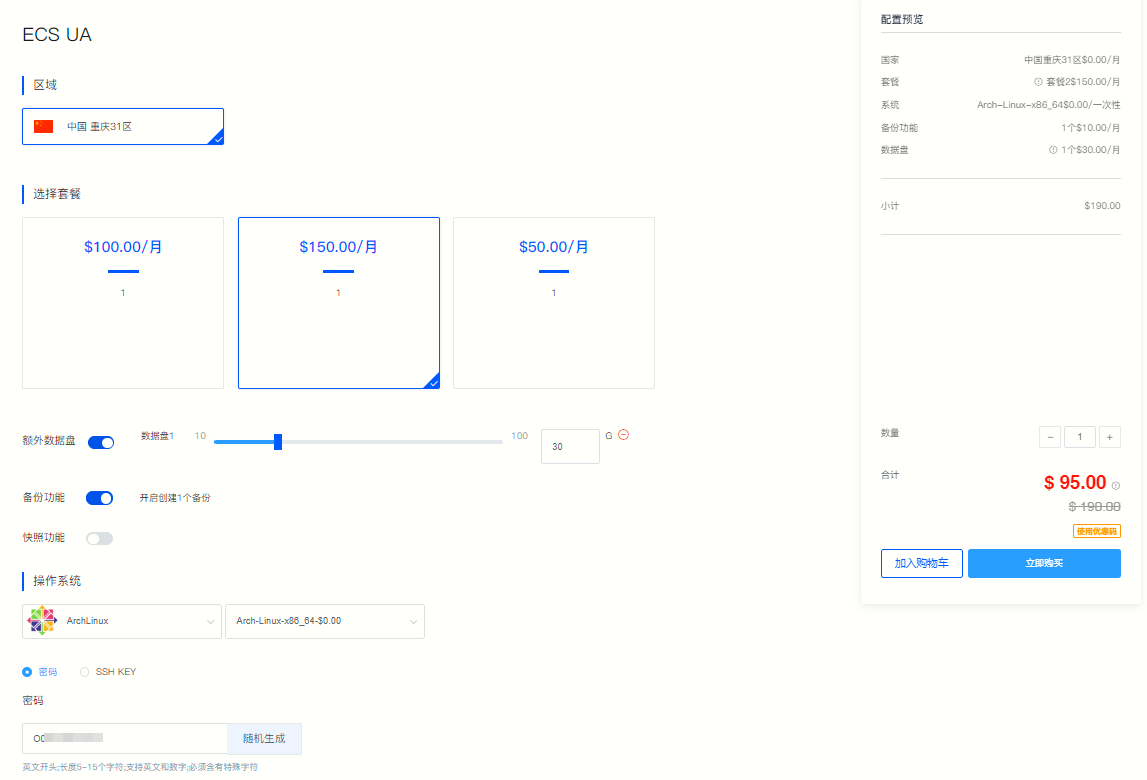
⑤As shown above (Picture 4), on the right side “Configuration Preview” Confirm the product selection information, select "Purchase Quantity", and click “Buy Now” . (If you have a discount code, you can click "Use Discount Code" and enter the discount code to get product discounts.)
Figure 5
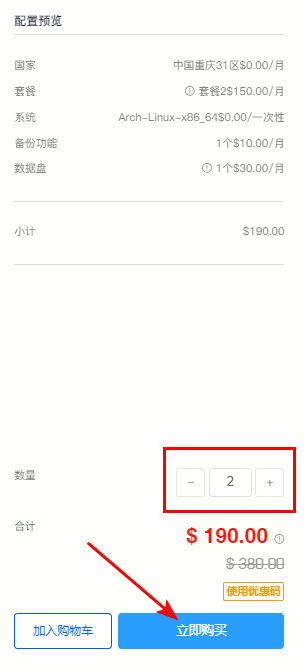
⑥After clicking "Buy Now", please check the product information on the payment page.
Figure 6
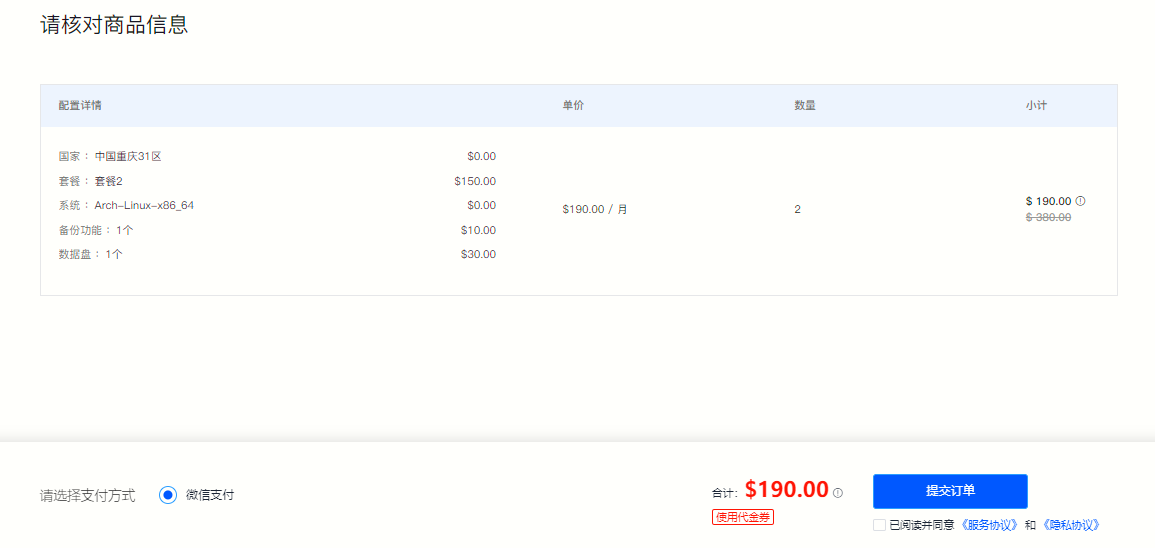
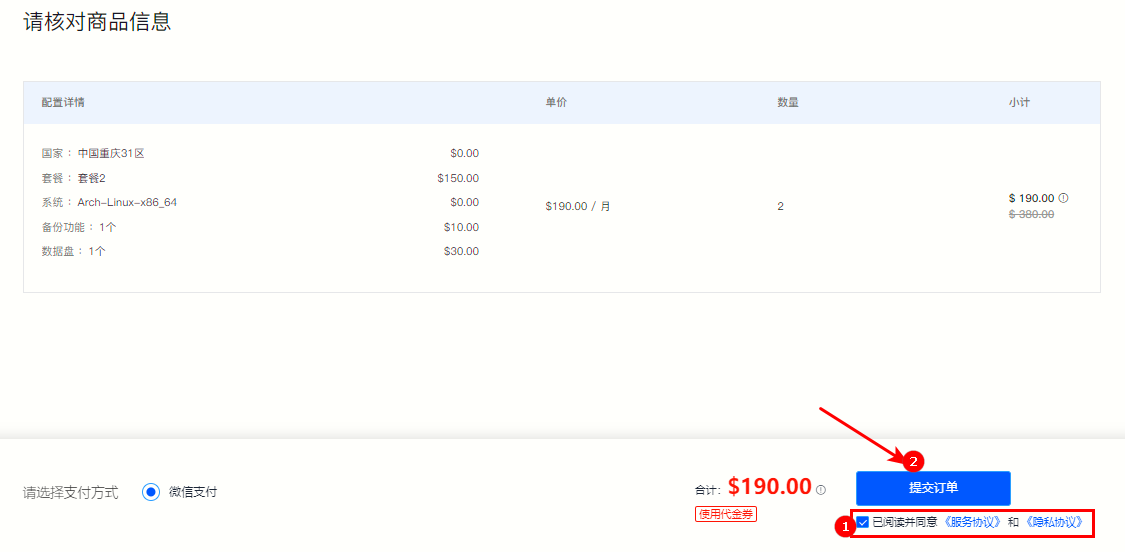
⑦After confirming that the order is correct, pleaseCheck "I have read and agreed to the "Service Agreement" and "Privacy Agreement" , click "Submit order" . (If you have a voucher, you can click "Use Voucher" to get product discounts.)
Figure 7
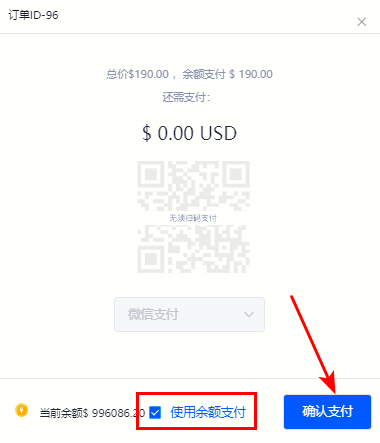
⑧Select the payment method in the payment pop-up window and complete the payment.
Figure 8
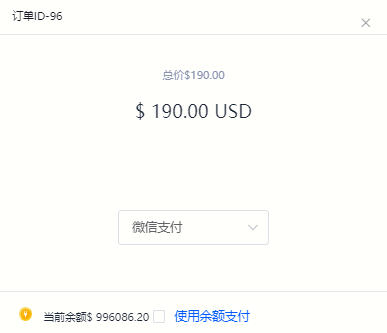
⑨ Check "Pay with balance" to pay directly with the current account balance.
Figure 9