
How to renew
If the product you purchased is about to expire, we will send you an expiration reminder and renewal notice in advance. If you want to continue using our products and services, you can renew the product on the product details page, or enable the "automatic renewal" function, and the system will automatically deduct the payment for renewal.
·Manual renewal
·Automatic renewal
Operating steps
1. Manual renewal
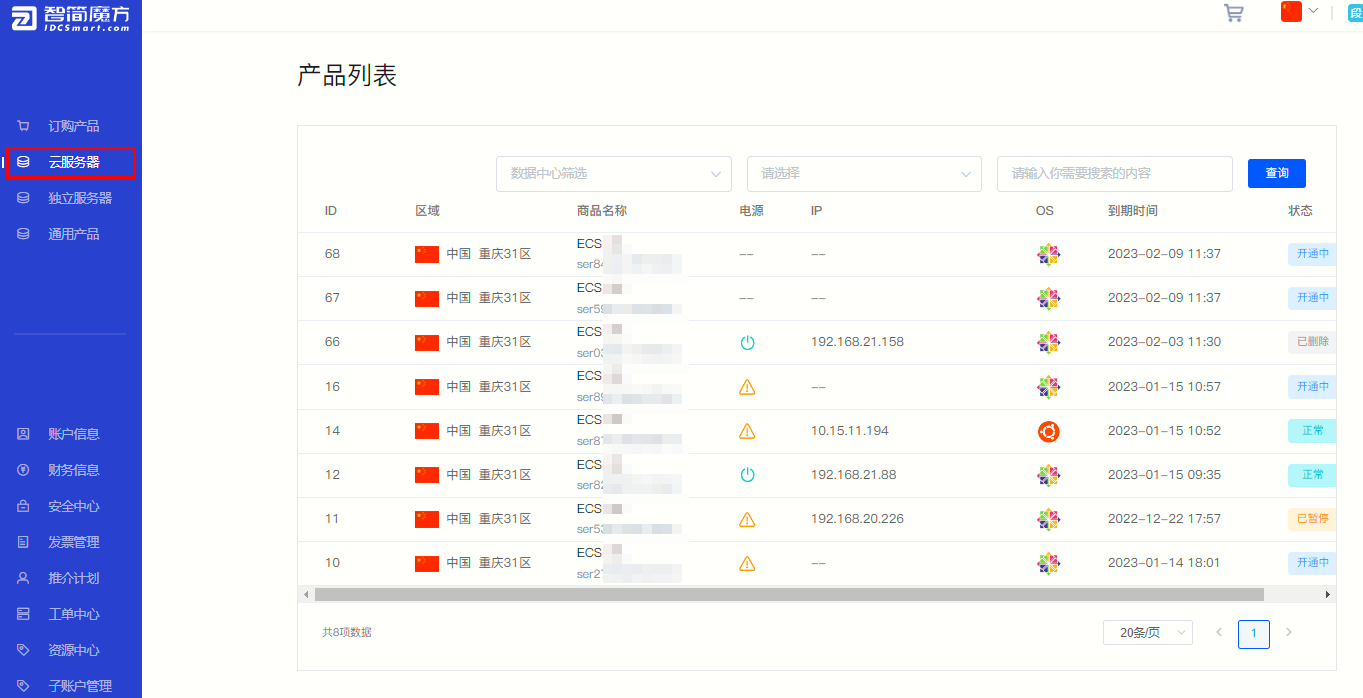
①In the member center, click to enter the list of purchased products. As shown below (Figure 1), click “Cloud Server” Enter the purchased cloud server list.
Figure 1
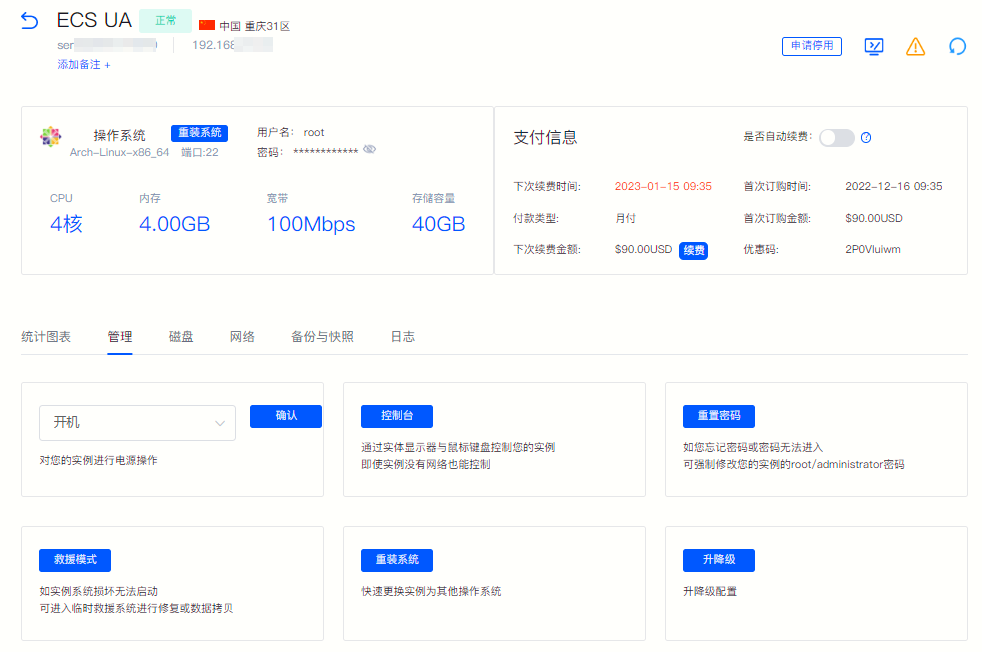
②Select the product that needs to be renewed and click to enter the product details page.
Figure 2
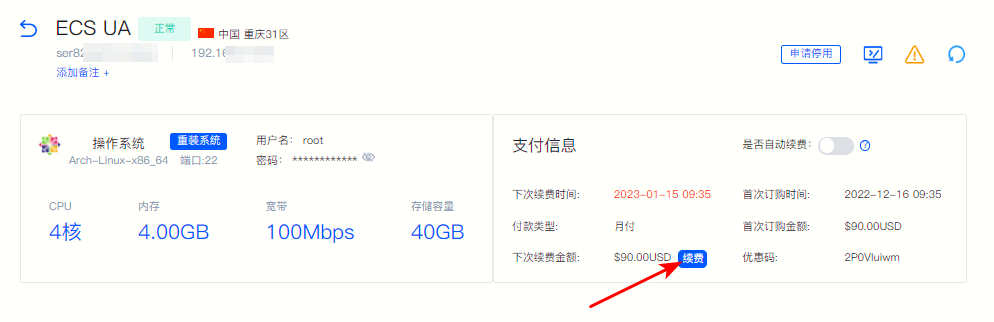
③In the "Payment Information" column of the product details page, you can view the "Next Renewal Amount" and click "Renewal"
Figure 3
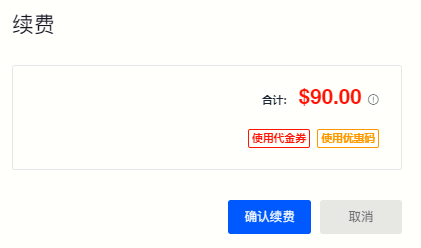
④ Complete the renewal on the pop-up page. You can also choose to "use a voucher" or "use a discount code" to complete the payment.
Figure 4
2. Automatic renewal
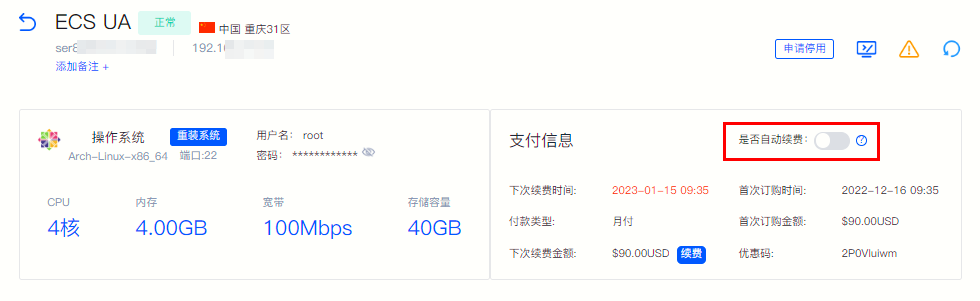
① You can also activate it with one click in the "Payment Information Column" on the product details page "Automatic renewal" Function.
Figure 5
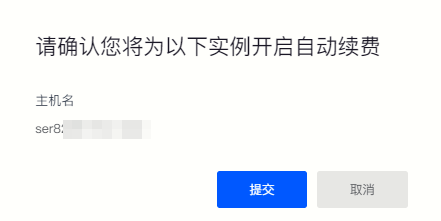
② Confirm the product information on the pop-up page and click "Submit" to activate the automatic renewal function.
Figure 6
③After activating the automatic renewal function, we will automatically deduct the fee when your account balance is sufficient and will no longer send you a renewal notification.
Back to List