How to perform real-name authentication
Real-name authentication is to further verify your registration information and avoid potential unsafe factors such as identity theft. In order to protect your account security and legitimate rights and interests, please perform it before using our services. Real-name authentication 。
·Personal certification
·Enterprise certification
Operating steps
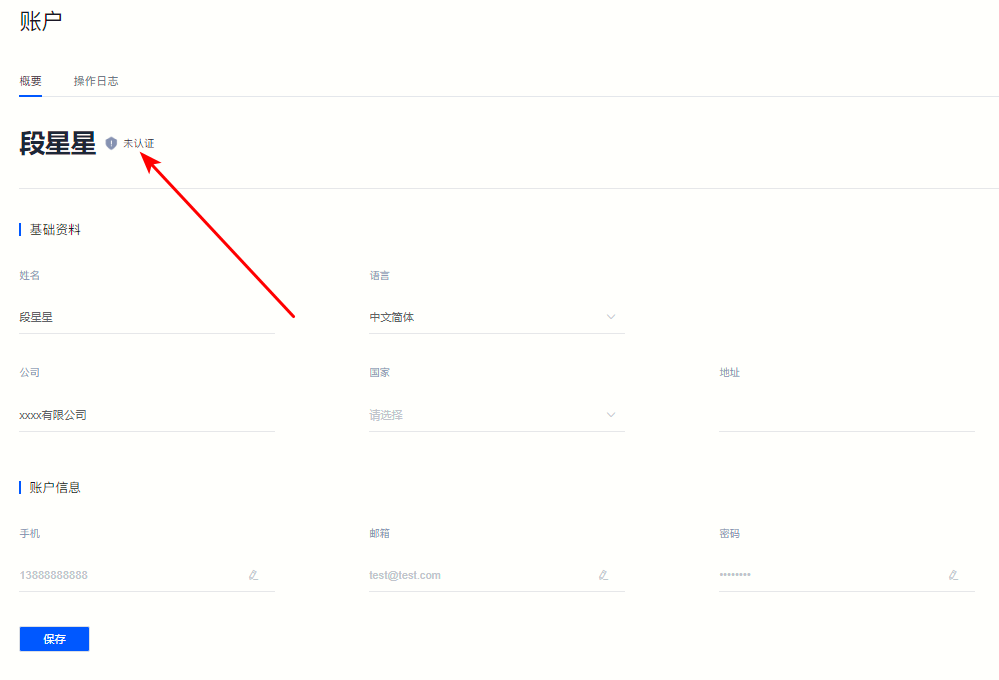
①Click Account information Enter the account information page
Figure 1

②Click "Not certified" Prompt, enter the real-name authentication interface, and select Personal certification or Enterprise certification 。
Figure 2
②You can also click on the LOGO in the upper left corner to enter the personal center, and select directly on the right side of the basic information column “Personal Authentication” or “Enterprise Certification” 。
Figure 3

·Personal certification
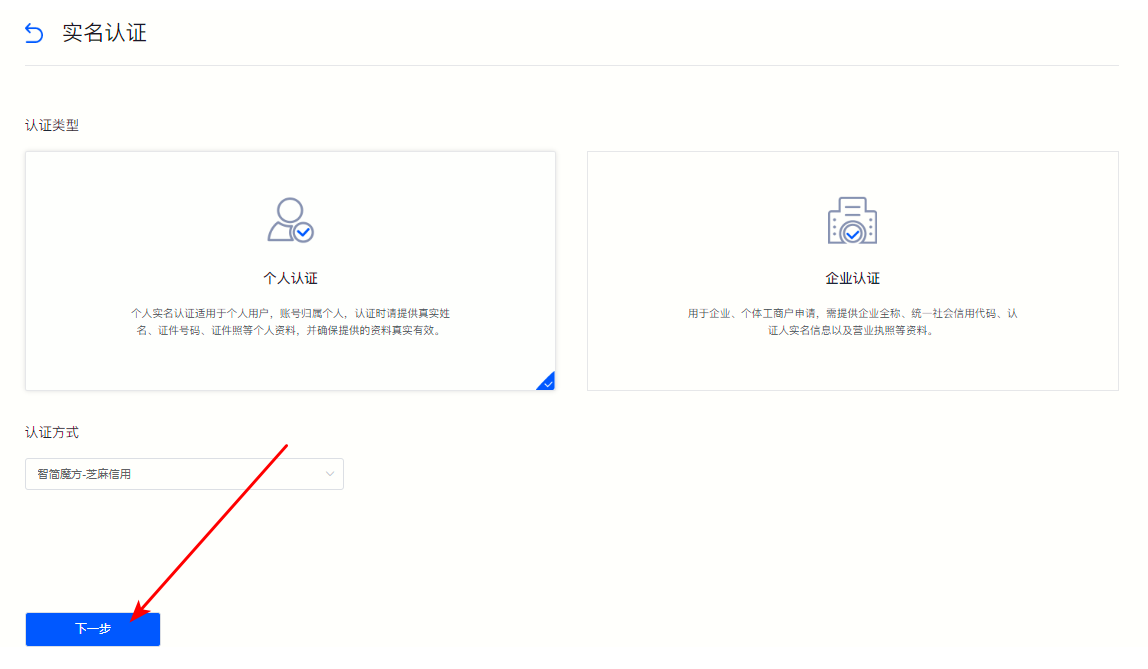
ⅰ. If your account belongs to you personally, please select Personal certification , select “Authentication method” After, click “Next step” 。
Figure 4
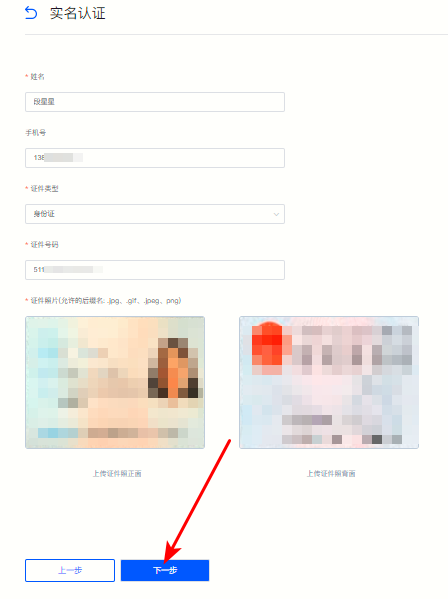
ⅱ. As shown below, fill in the real-name information according to the field prompts on the jump page, and click "Next" after completion.
Figure 5
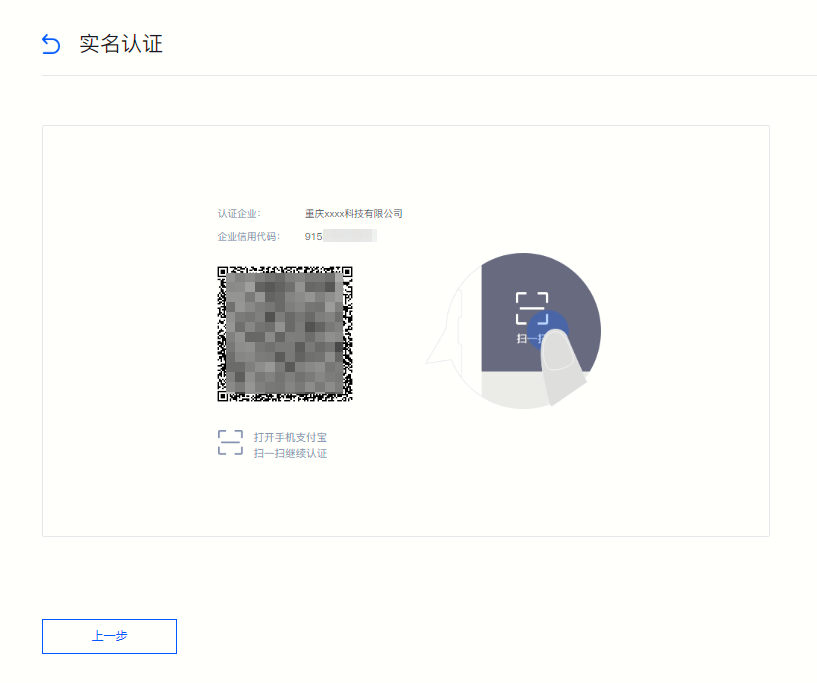
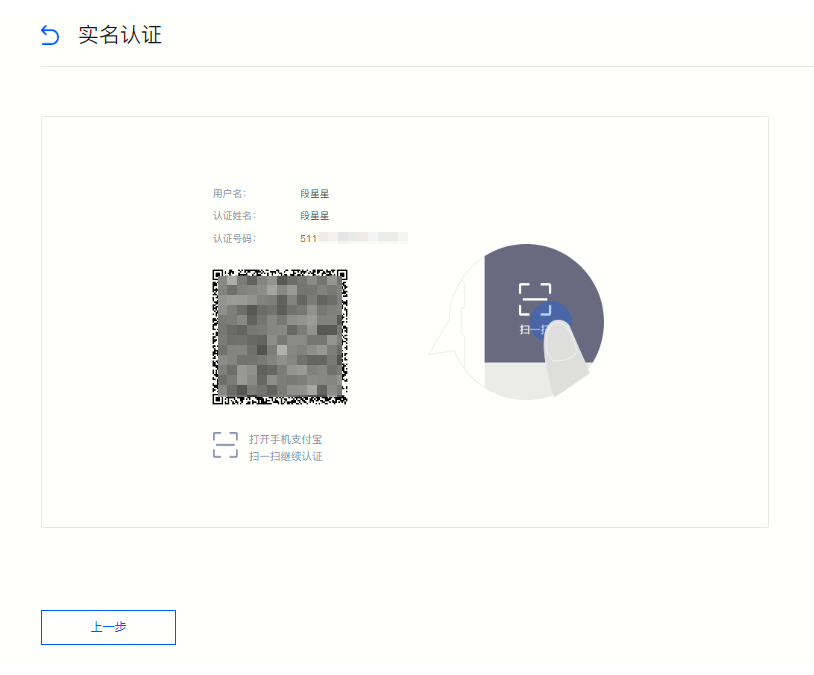
ⅲ. After confirming that the information is correct on the jump page, follow the page prompts for real-name authentication. As shown below, you need to use Alipay to scan the QR code for authentication.
Figure 6
·Enterprise certification
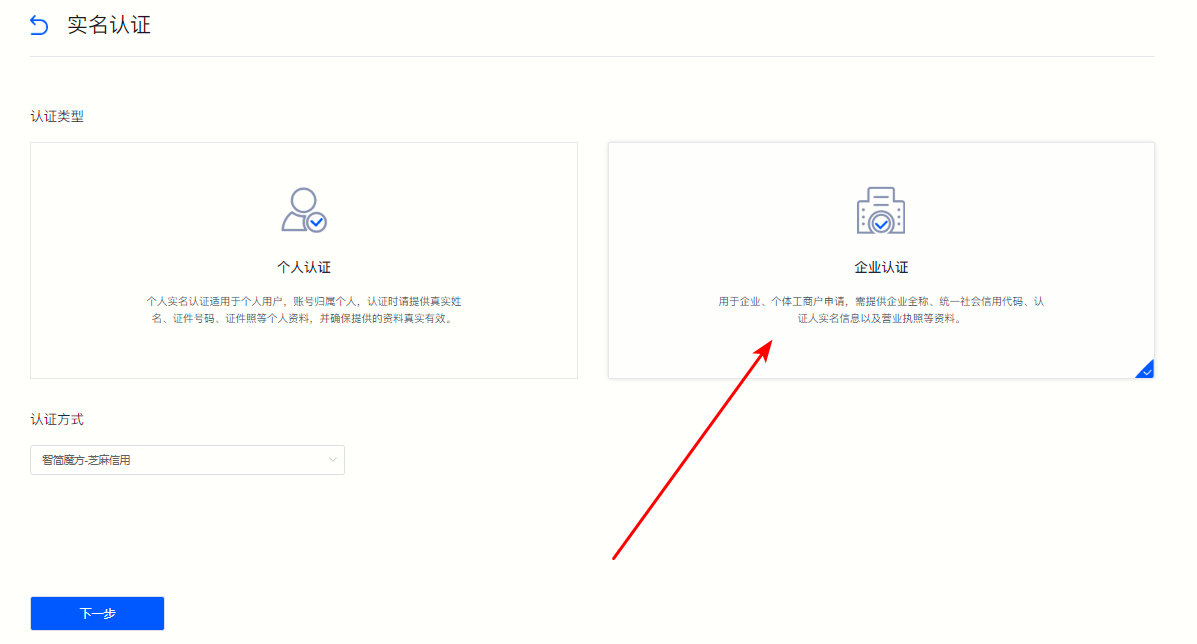
ⅰ. If your account is owned by a company, please select “Enterprise Certification”and click “Next”.
Figure 7
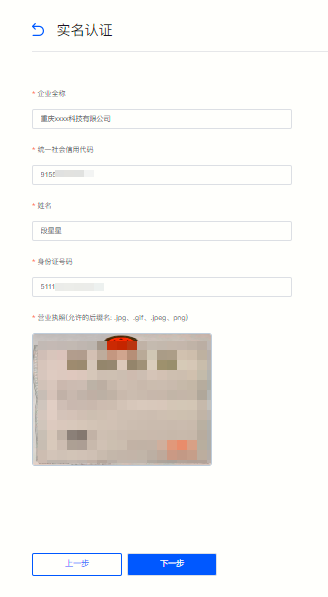
ⅱ. Fill in the company information according to the field prompts on the jump page.
Figure 8
ⅲ. After confirming that the company information is correct, click “Next step” , and complete the enterprise certification according to the prompts on the jump page.
Figure 9