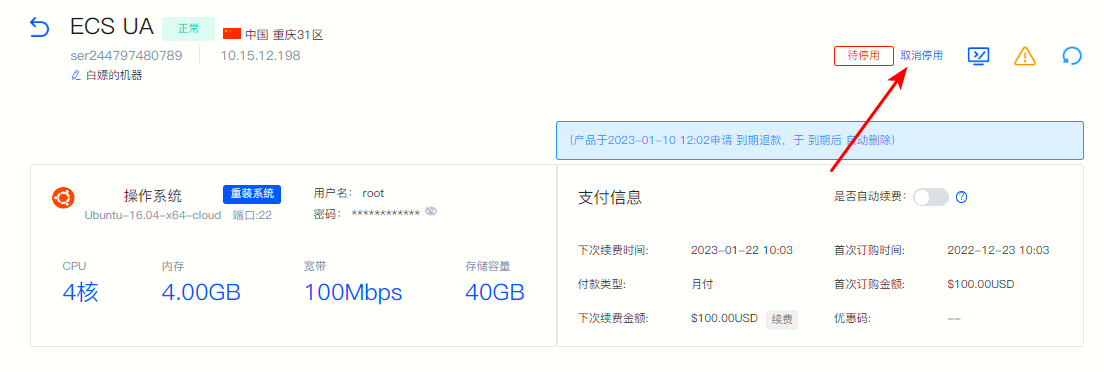
How to apply for product deactivation
If you do not want to continue using the purchased product, you can apply for deactivation and we support your choice. "Deactivate now" or "Disabled upon expiration" 。
Operating steps
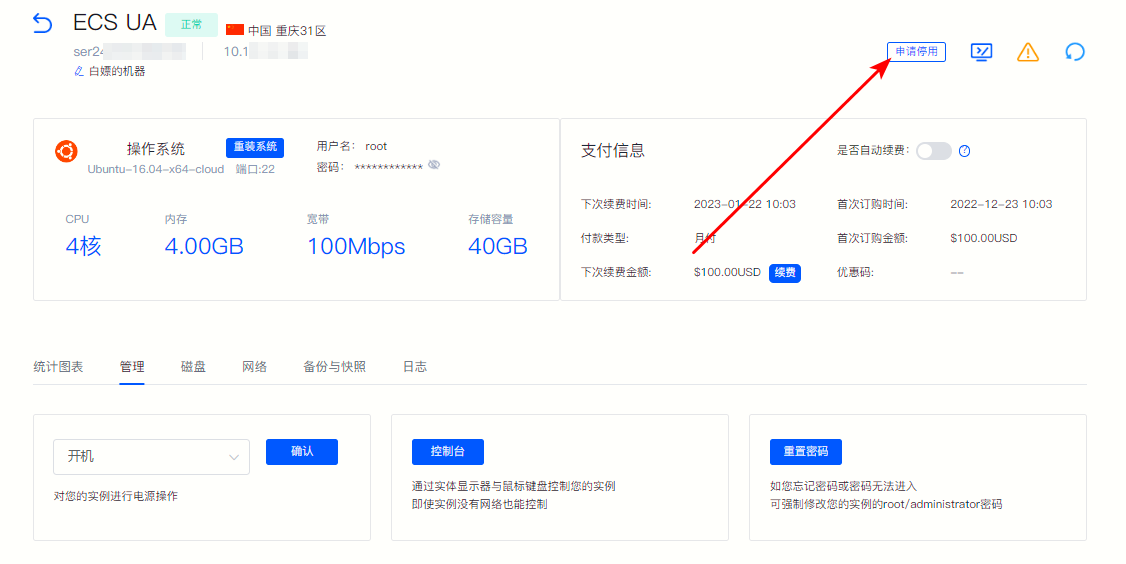
①Log in to the member center, enter the corresponding product details page, and click on the upper right corner "Application for deactivation" 。
Figure 1
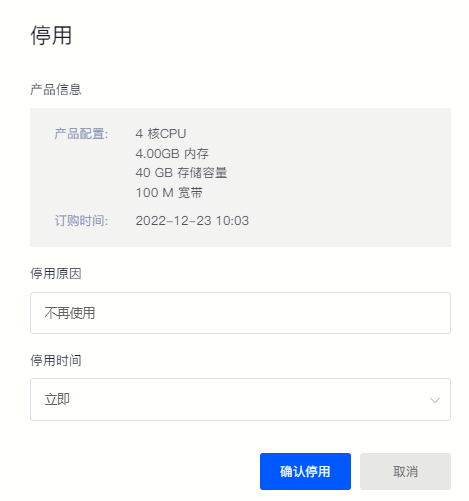
② Confirm the product information in the pop-up window and fill in "Reason for deactivation" , deactivation time selection "immediately" or "Expired" , click "Confirm deactivation" That’s it.
Figure 2
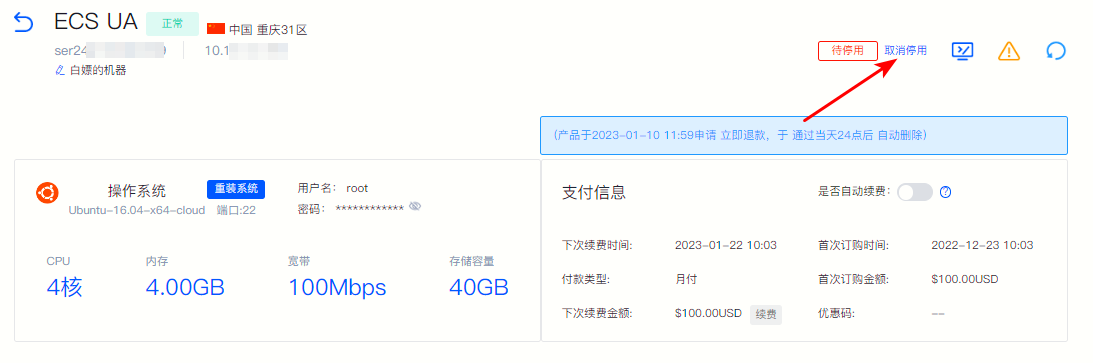
③If you choose "Deactivate now" , we will automatically deactivate the corresponding products and services for you after 24:00 on the day of application. If you wish to continue using the product, you can do so before 24:00 on the same day "Cancel deactivation"。
Figure 3
④If you choose "Disabled upon expiration" , the product status will change to "To be deactivated" , we will automatically deactivate and delete the product information after the expiration time. If you want to continue using the product later, you can click "Cancel deactivation" 。
Figure 4