
How to log in to the member center
After completing membership registration, you can log in to the member center at any time. Please see member registration How to register as a member 。
·Verification code login
·Password login
Operating steps
1. Verification code login
Note: "Verification code" login is only applicable to registered users with mobile phone numbers, if you are using email to register, please select "Password login".
①Enter the member center login page
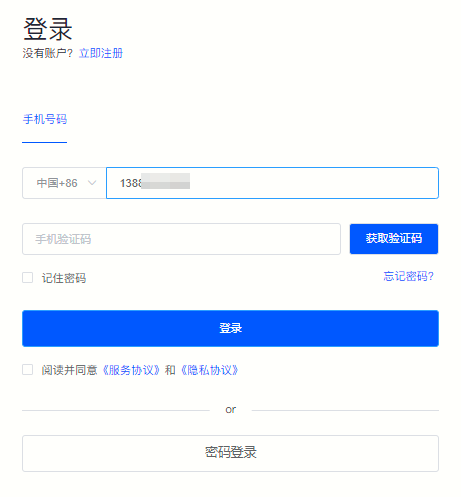
②Enter the mobile phone number you submitted when registering and click "Get verification code" 。
Figure 1
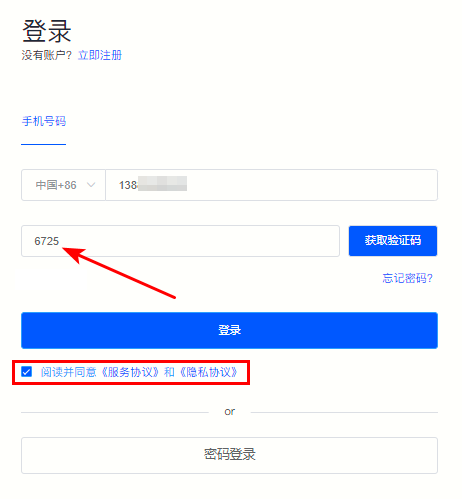
③After receiving the verification code text message on your mobile phone, enterMobile phone verification codeand check " Read and agree to the "Service Agreement" and "Privacy Agreement" ", click "Login" You can successfully log in to the member center.
Figure 2
2. Password login
"Password login" applies to all registered users.
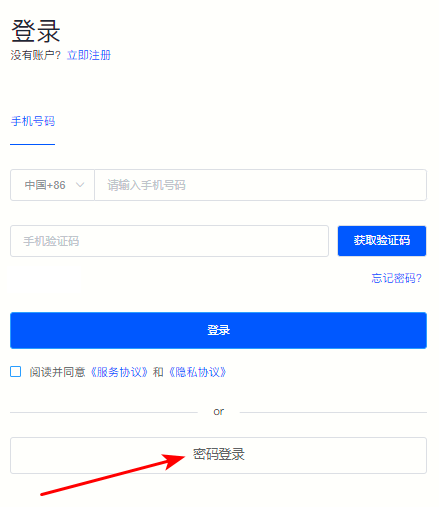
①On the login page, click below “Password login” 。
Figure 3
②If you used a mobile phone number when registering, please select "Mobile phone number" Log in; if you registered using your email address. Please select "E-mail" Login.
Figure 4
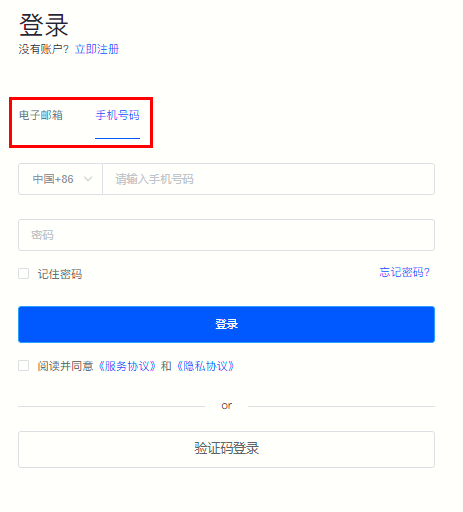
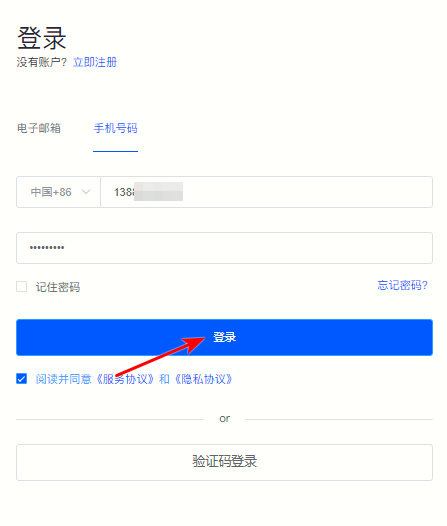
ⅲ. As shown above (Picture 4), when you use your mobile phone number as a registered account, please enter it directlyRegistration number、Password, check “Read and agree to the “Service Agreement” and “Privacy Agreement” , click "Login" That’s it.
Figure 5
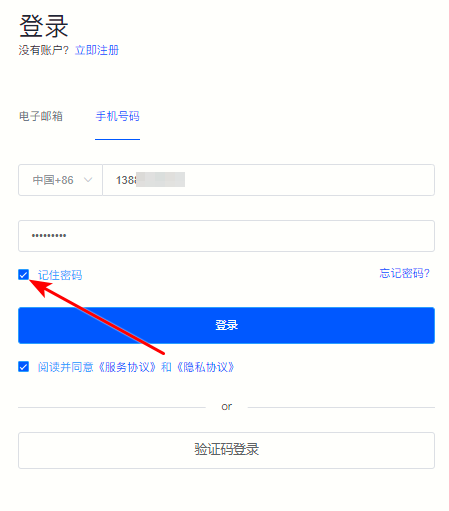
ⅳ. After entering the account password, you can check “Remember Password” 。
Figure 6
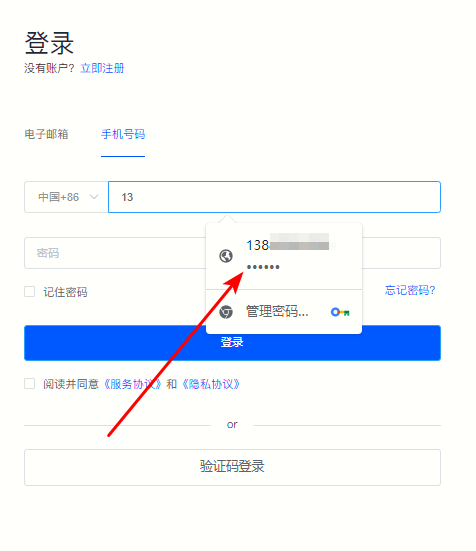
ⅴ. When logging in next time, directly select the account password and check “Read and agree to the “Service Agreement” and “Privacy Agreement” , click "Login" That’s it.
Figure 7
Back to List
