
How to change login password
How to change login password
You can log in to the member center through "Forgot password"Function to modify login password, please refer to What to do if you forget your password? . If you have logged into the member center, you can "Account information" Change password in Medium, please see below for specific operations:
Operating steps
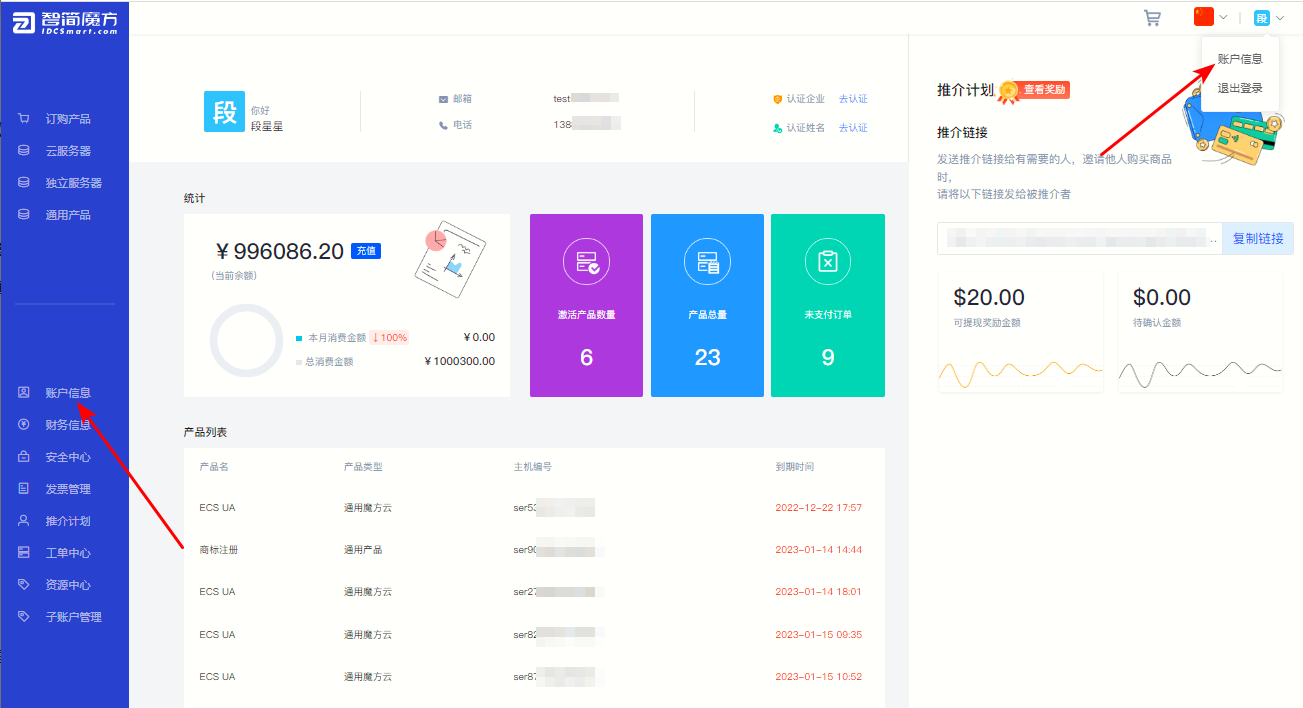
①After logging in to the member center, click "Account information"(You can view account information through the two methods in the picture below).
Figure 1
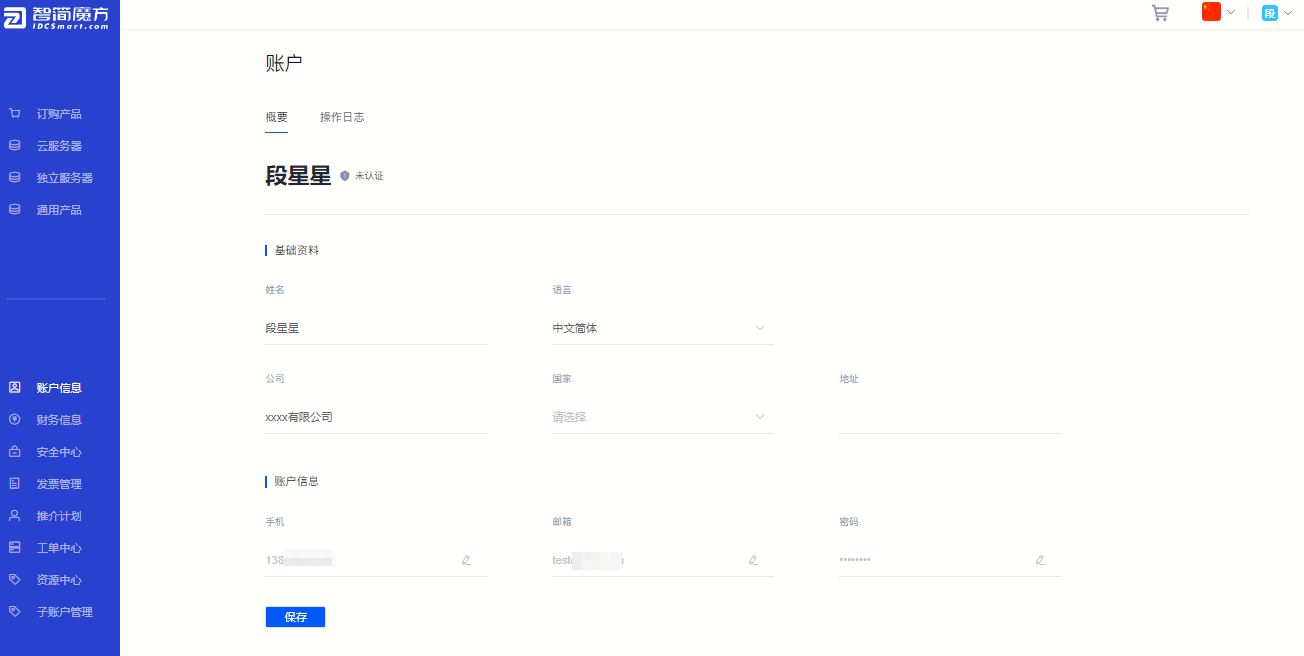
②View account details
Figure 2
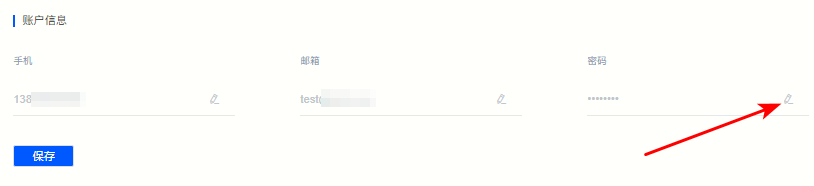
③At the bottom "Account information" column, click "Password" The right “ ” 。
” 。
Figure 3
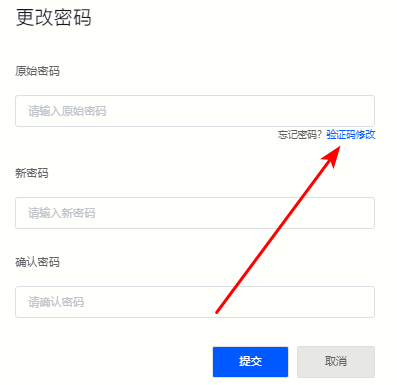
④After entering the original password on the pop-up page, enter the new password.
Figure 4
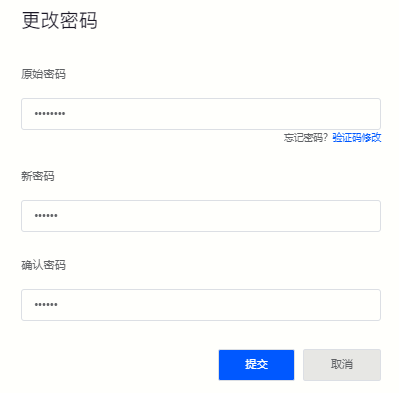
⑤If you forget the original password, please click "Verification Code Modification"
Figure 5
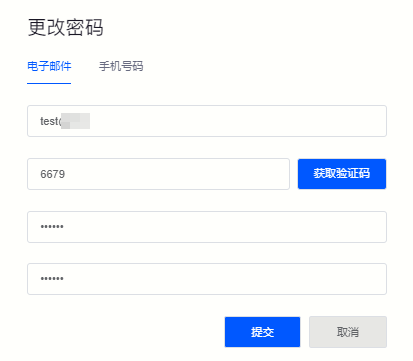
⑥Use the registered account (email/mobile phone number) to obtain the verification code and reset the password.
Figure 6
Back to List
