How to follow up on a work order
After you submit a work order, you can View and manage work orders inWork Order Center”. To submit a work order, please see How to submit a work order 。
Operating steps
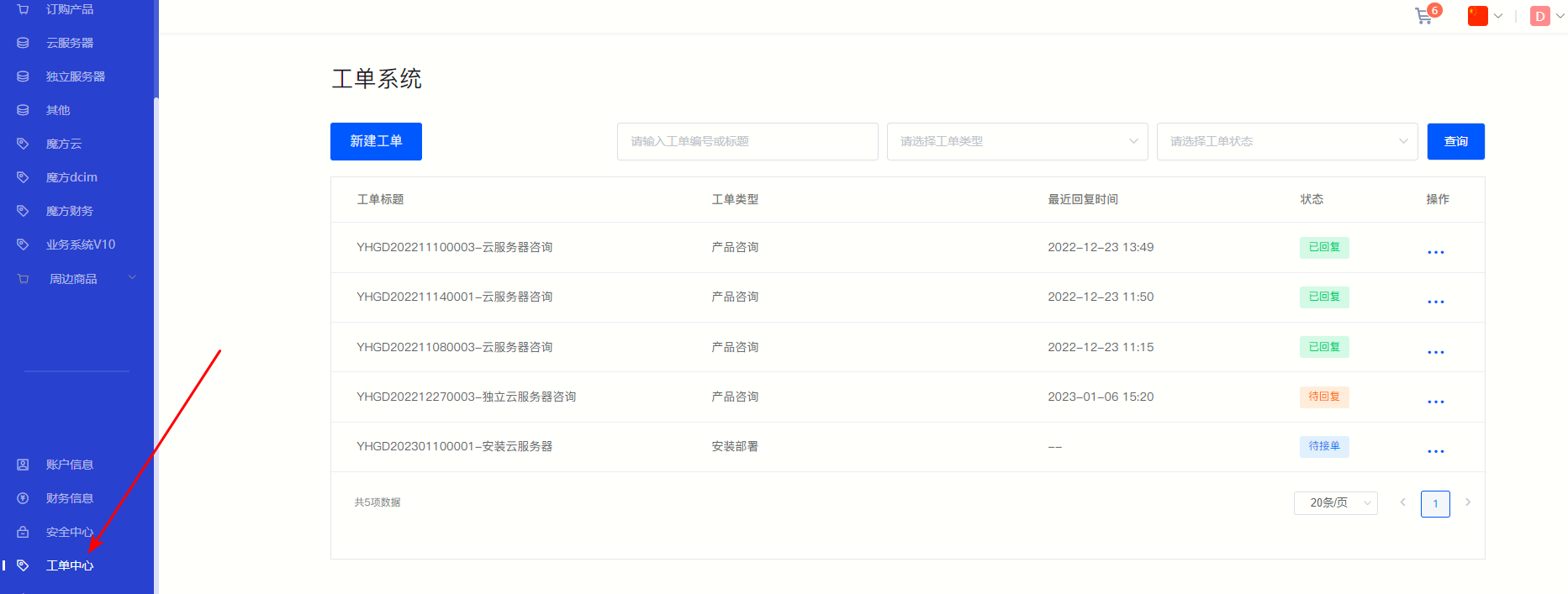
①After entering the member center, click Work Order Center , you can view the work order information and processing status.
Figure 1
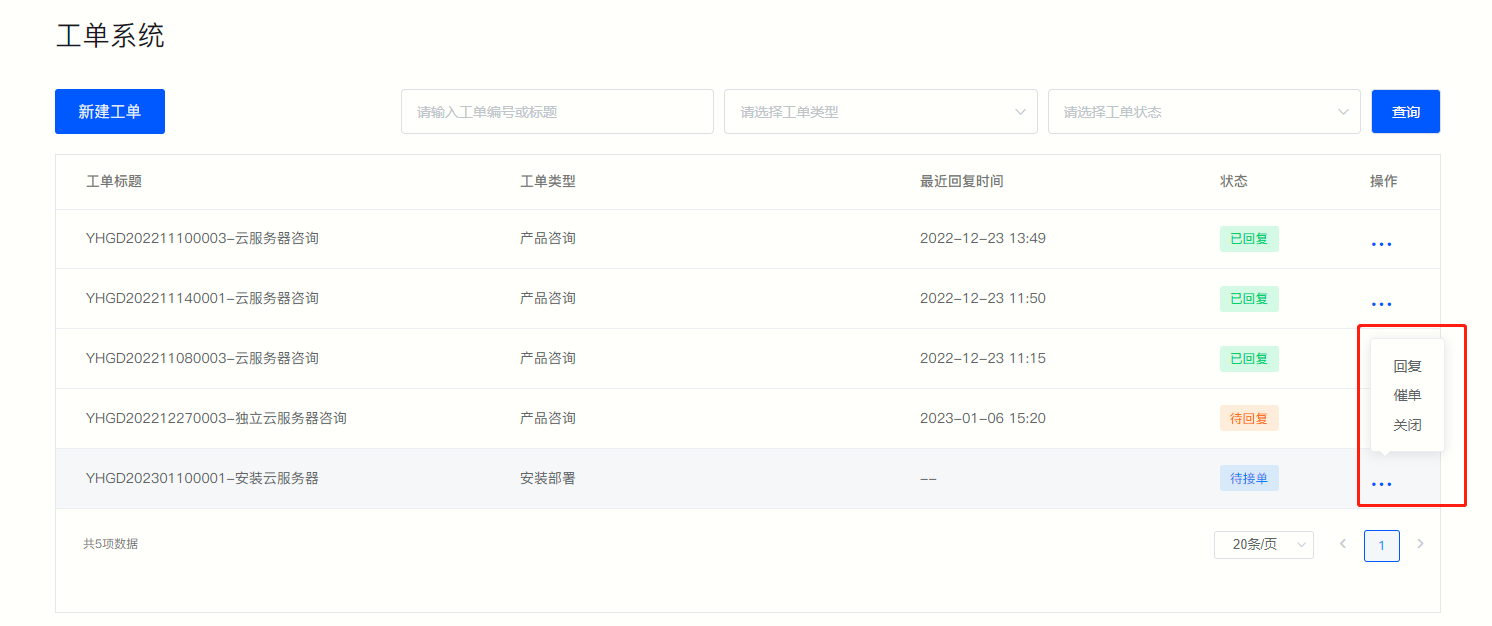
②Click the operation bar on the right to proceedReply, reminder, closeWait for operation.
Figure 2
·Reply
ⅰ. Click directly on the right operation bar " " , or move the mouse to the operation bar "”, select in the floating box "Reply" 。
ⅱ. Work order information and past communication records can be viewed on the jump page.
Figure 3
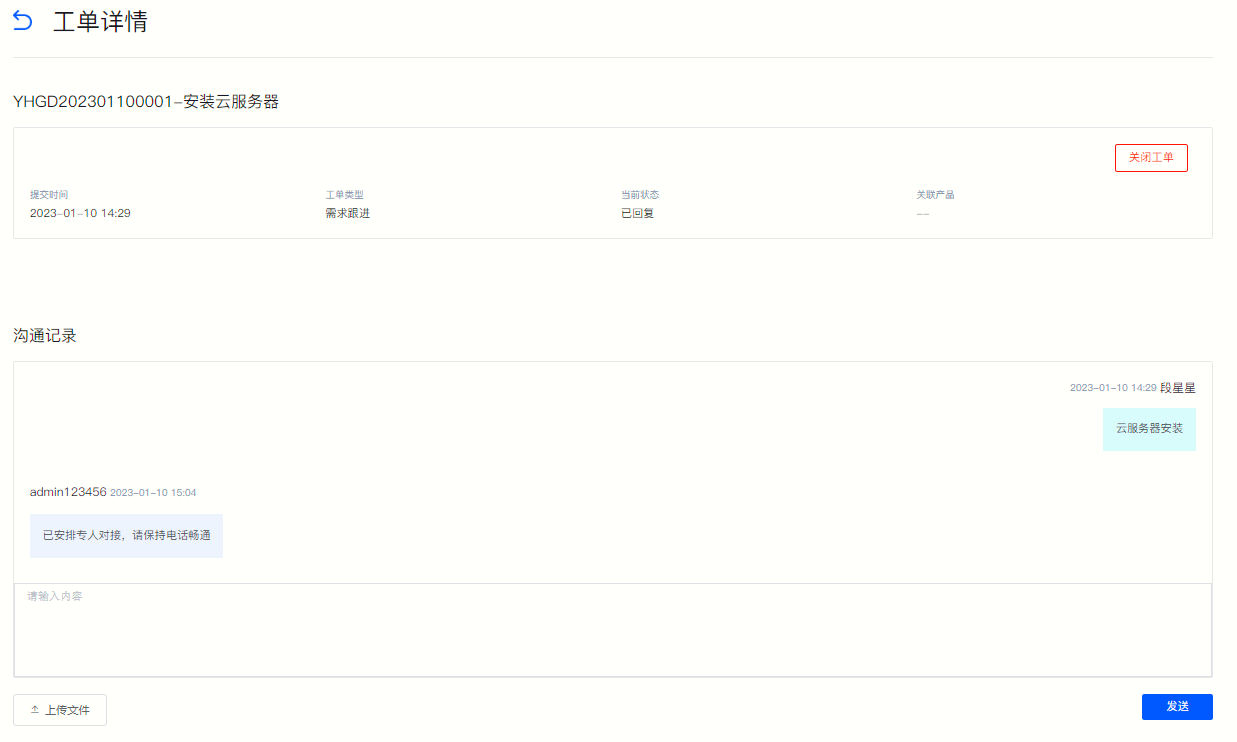
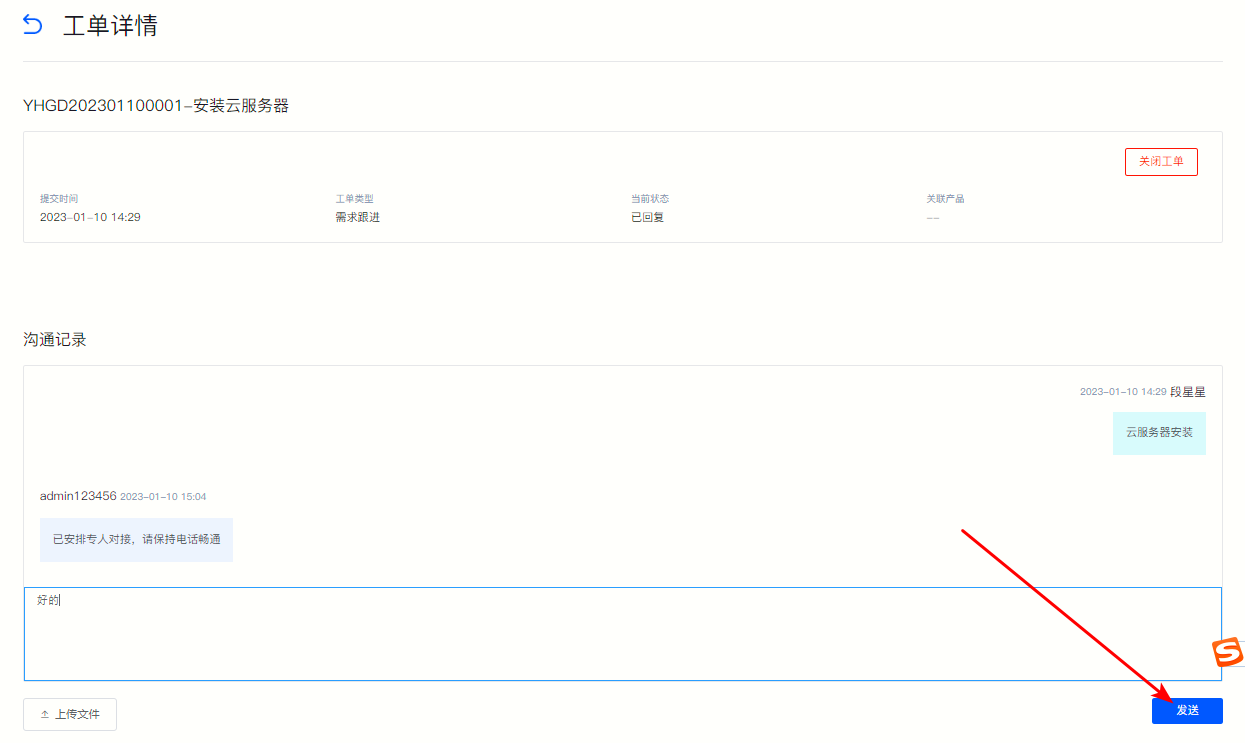
ⅲ. Enter text in the dialog box below and click Send to reply.
Figure 4
·Order reminder
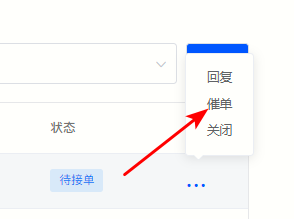
ⅰ. In the work order information list, move the mouse to the operation bar "”, select in the floating box "Order reminder" That’s it.
Figure 5
·Close
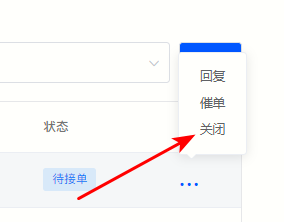
If your problem has been solved or you no longer need us to provide you with technical support, you can click "Close" in the floating box to close the order directly.
Figure 6
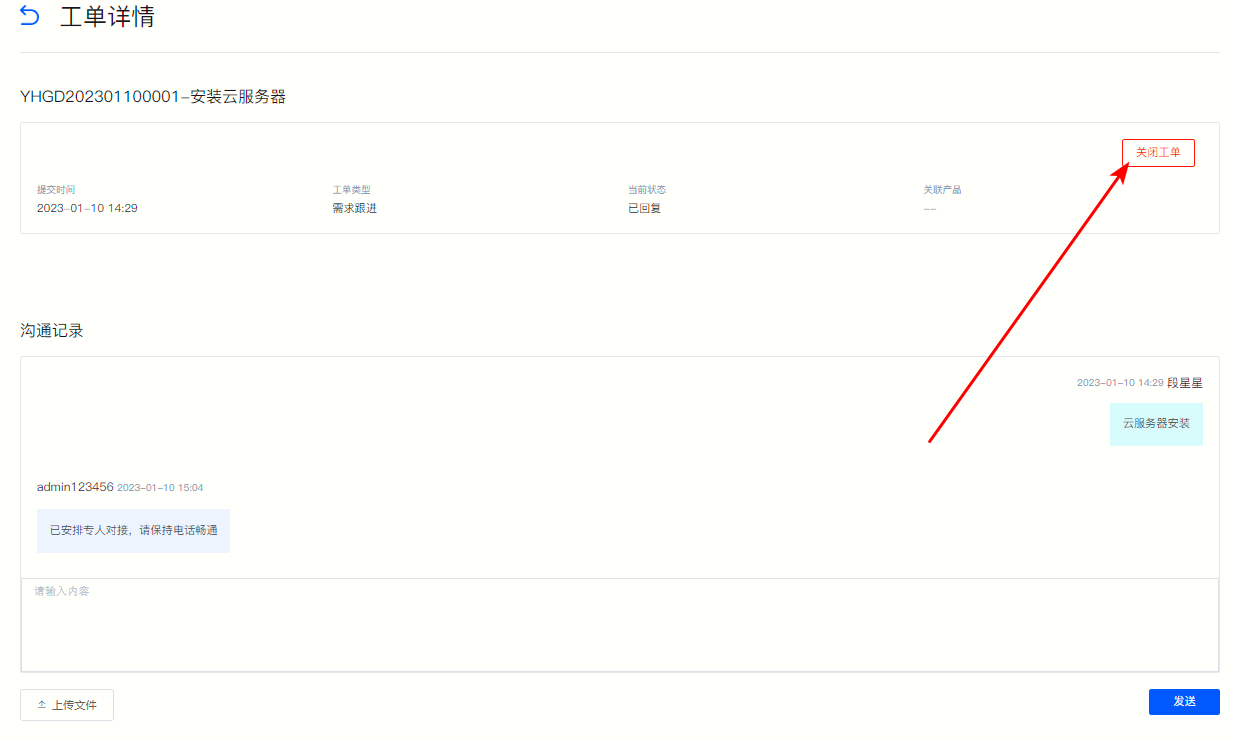
Or click “", after confirming the work order details on the jump page, click "Close Work Order" in the upper right corner.
Figure 7