How to set the invoice receiving address
When you apply for the issuance of paper invoices or electronic invoices, you need to set the receiving address and email address in advance.
Operating steps
①Log in “Member Center” , click “Invoice Management” , select "Invoice Settings".
Figure 1
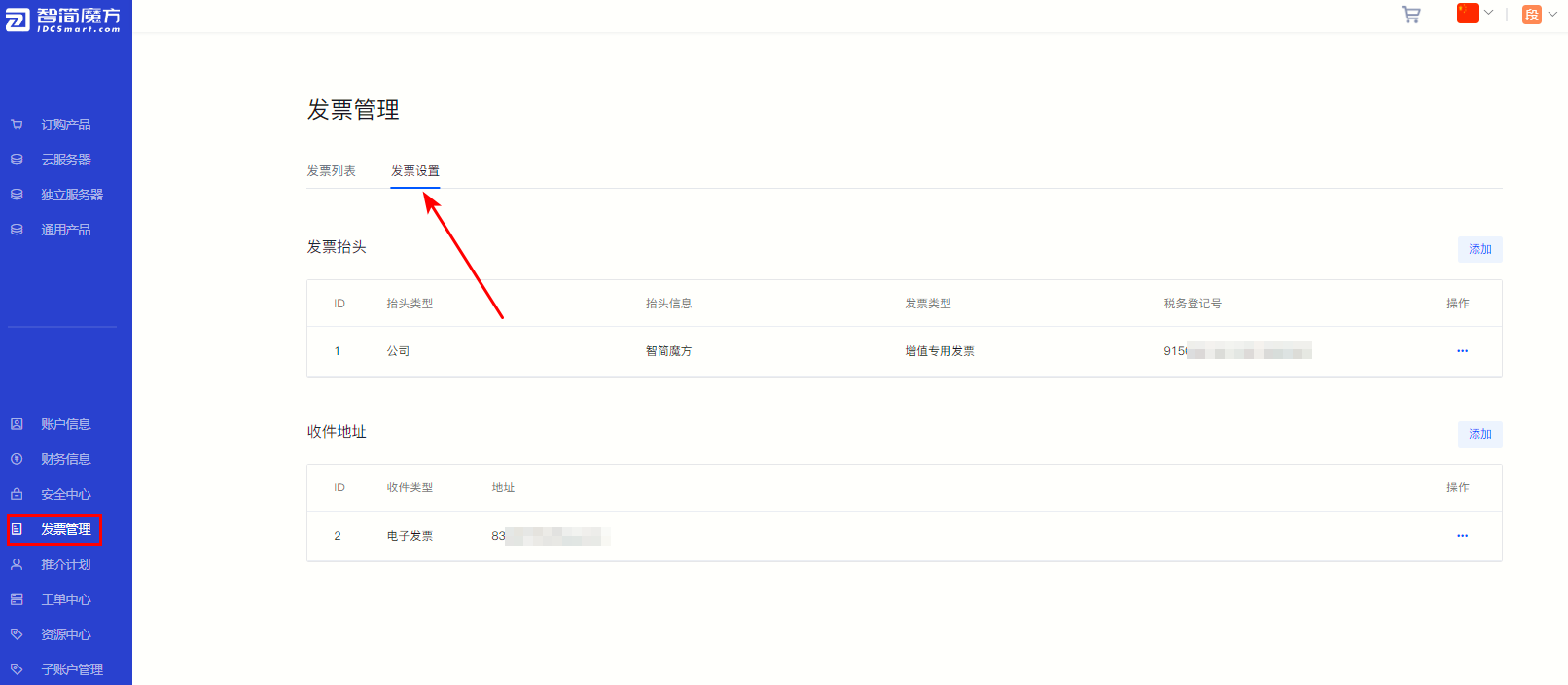
②Click "Receiving Address" Upper right corner "Add" Add shipping address.
Figure 2

③ Fill in the address according to the field prompts on the pop-up page.
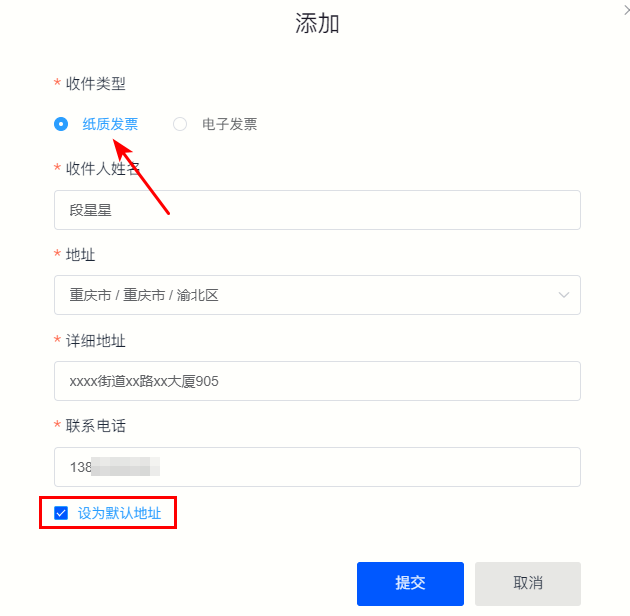
·Paper invoice
When you select "paper invoice" as the receipt type, you need to fill in the recipient's name, detailed address, phone number and other receipt information.
If the address you fill in is a commonly used address, you can check "Set as default address" 。
Figure 3
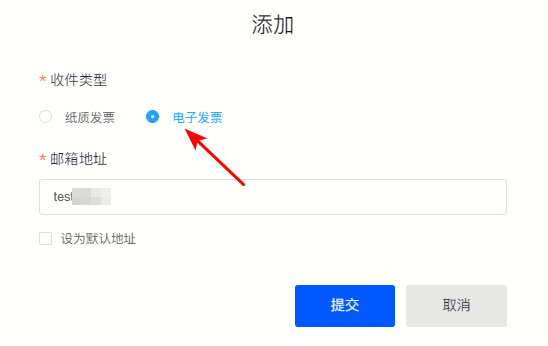
·Electronic invoice
When the receipt type is "electronic invoice", you only need to fill in the corresponding email address.
Figure 4