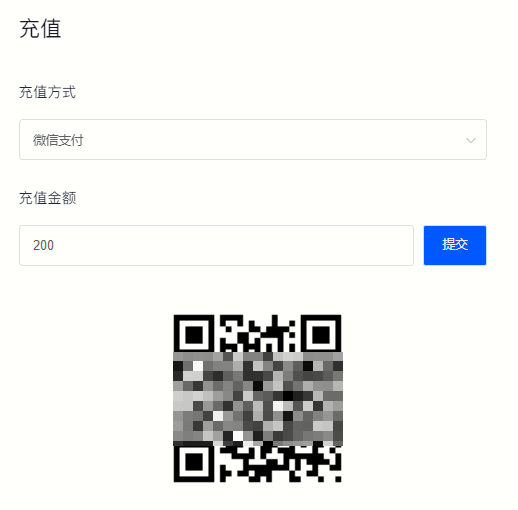
How to recharge
We recommend that you recharge before spending to enjoy exclusive benefits such as recharge discounts and automatic renewal. We support you to use Alipay, WeChat payment, offline payment, Easy payment Usdt, Alipay web payment, Alipay international payment, OCGC payment and other payment methods.
·Recharge in personal center
·Recharge in balance record
Operating steps
1. Recharge in personal center
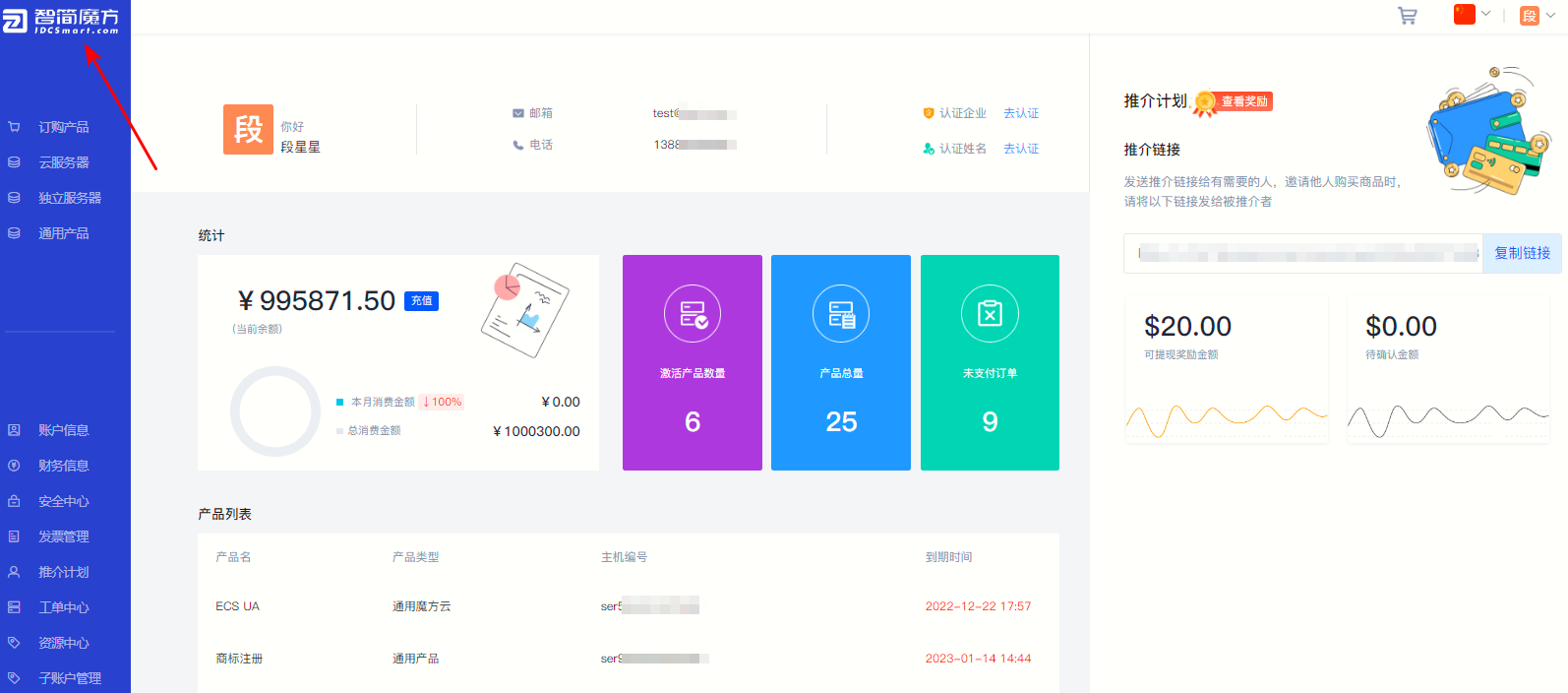
①Click on the LOGO in the upper left corner to enter the personal center.
Figure 1
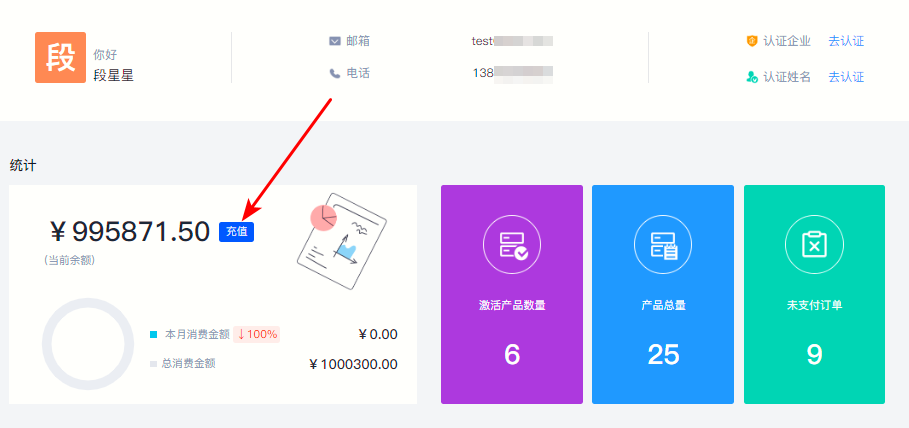
②In "Statistics" Module click “Recharge” 。
Figure 2
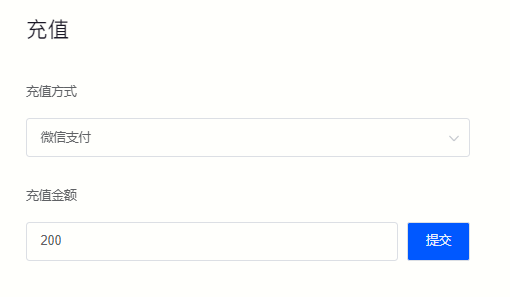
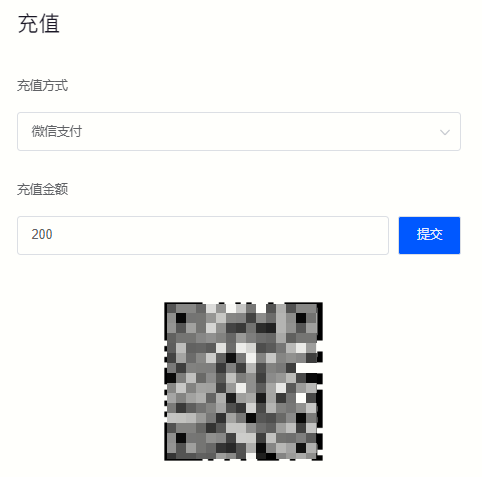
③Select the recharge method on the pop-up page and fill in the recharge amount.
Figure 3
④Click on the right side of the recharge amount "Submit" And complete the payment according to the prompts.
Figure 4
2. Record the recharge in the balance
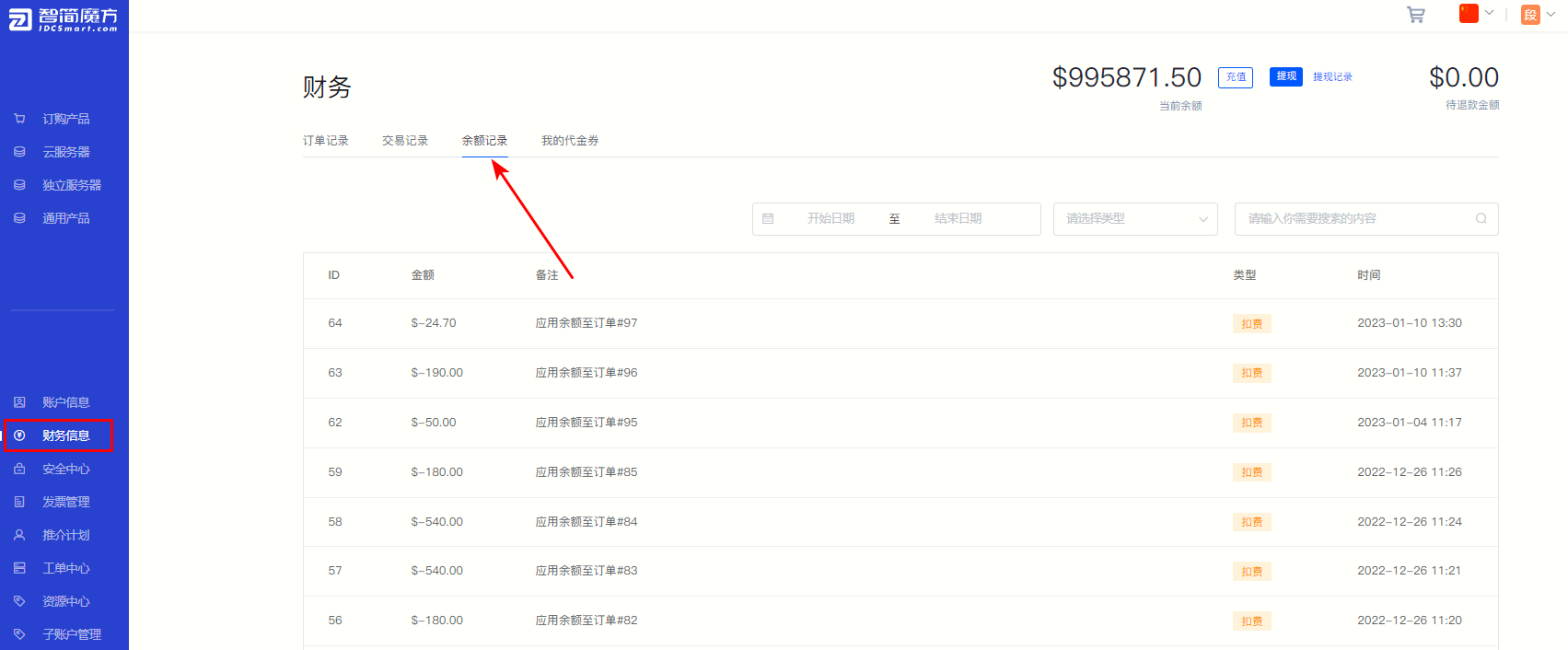
①Click "Financial Information" , select “Balance record” , you can view the current balance and balance records.
Figure 5
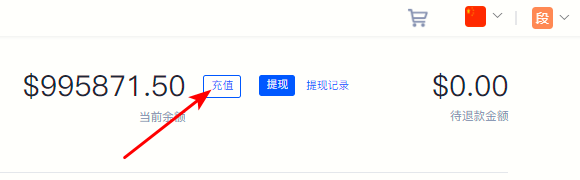
②Click the upper right corner “Recharge” 。
Figure 6
③Select the payment method according to the pop-up prompts, fill in the payment amount, click Submit and complete the payment.
Figure 7