
How to receive or view vouchers
We will publish promotional information on the website from time to time. You can receive coupons directly on the activity page, or you can view and receive coupons in the "Financial Information" module.
·Receive vouchers
·View received vouchers
Operating steps
1. Receive vouchers
① Receive coupons through the official website event page.
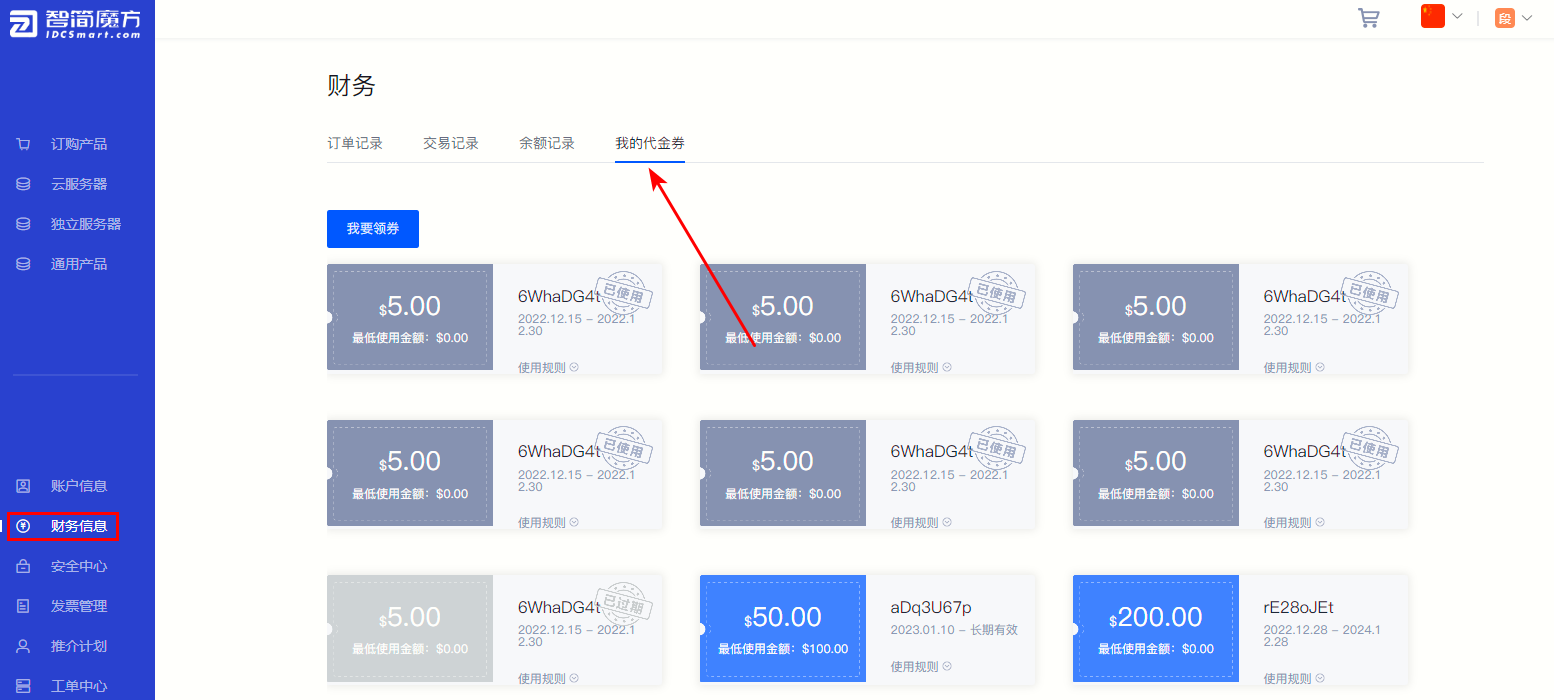
②Log in to the member center and click "Financial Information" , select "My Voucher" 。
Figure 1
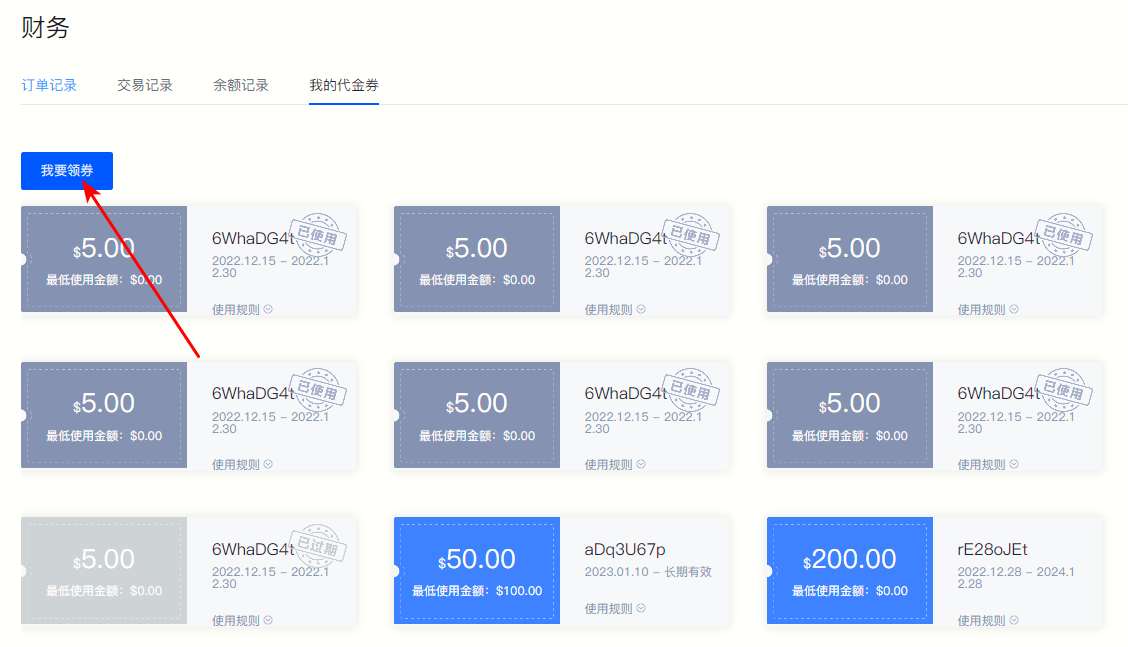
③Click the upper left corner "I want to get a coupon" , you can view the currently available vouchers.
Figure 2
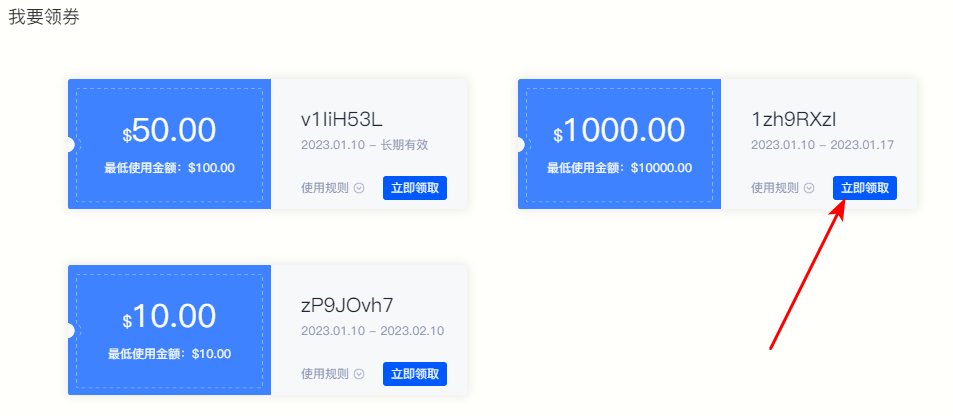
⑤Click on the coupon collection page “Get it now” , you can receive the corresponding voucher.
Figure 3
2. View voucher
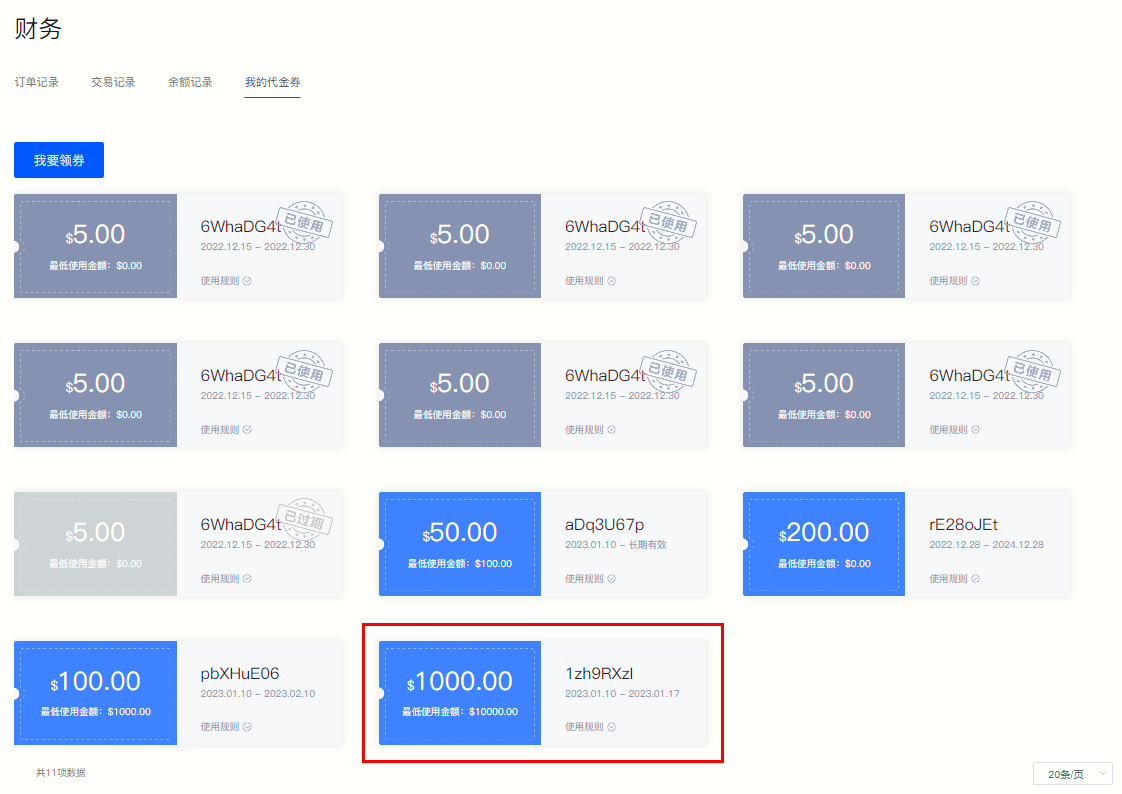
③After receiving the voucher,"My Voucher" The page will display the voucher information you have received.
Figure 4
Back to List
