How to set the invoice header
Before applying for issuance of invoices, you need to set the invoice header.
Operating steps
1. Set the invoice header
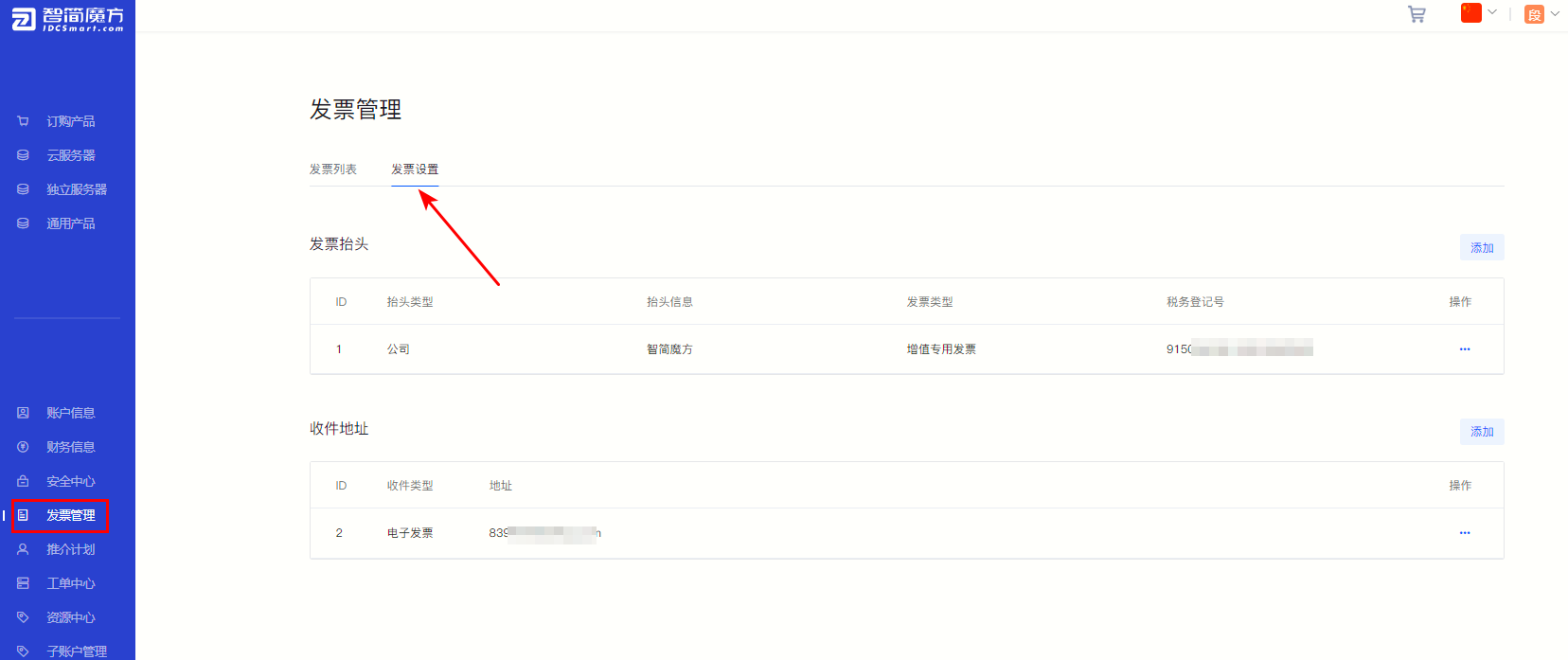
①Log in “Member Center” , click “Invoice Management” , select “Invoice Settings” 。
Figure 1
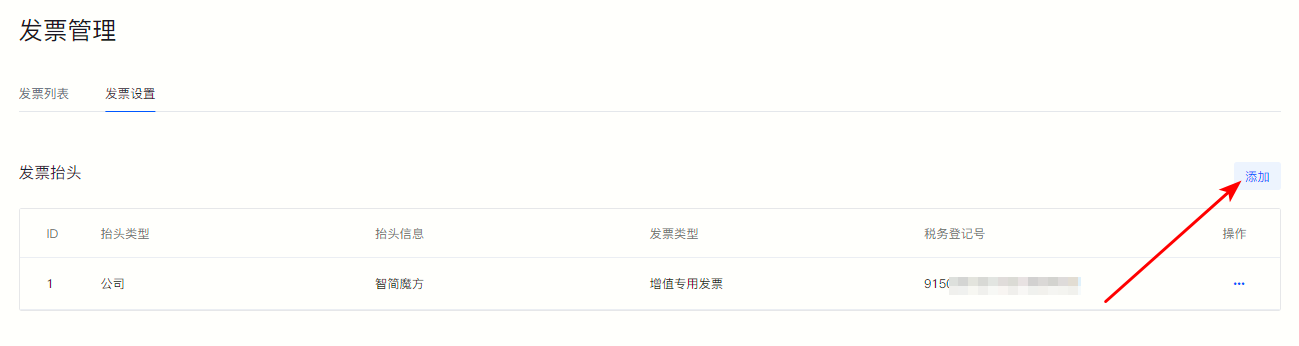
②In "Invoice header" One column, click on the right side "Add" Invoice header information can be added.
Figure 2
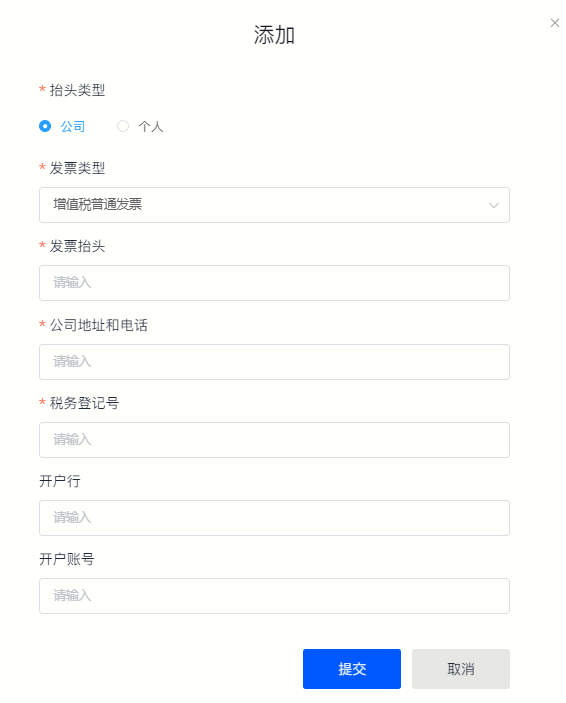
③ Just fill in the header information according to the pop-up field prompts.
·Company
If the purchasing entity is a government or enterprise unit, please select "Company" as the header type, and fill in the company's invoicing information according to the field prompts.
Figure 3
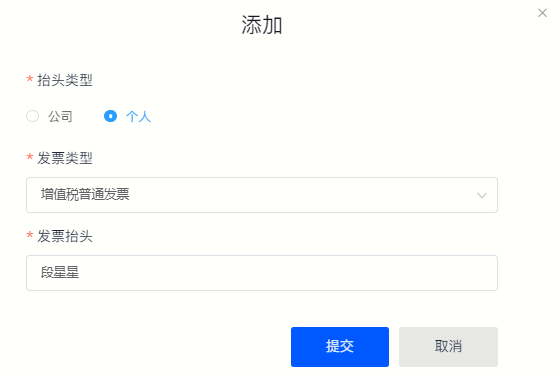
·Individual
If you are purchasing in an individual’s name, please select “Individual” as the header type.
Figure 4