How to apply for invoice issuance
If you purchase any goods or services on our official website, you can apply for an invoice. You can apply for an invoice after payment, or you can apply for a pre-invoice after reaching an intention to cooperate with us.
Precautions
Before applying for issuance of invoices, please set the invoice header and receiving address. For specific operations, please see How to set the invoice header 、How to set the receiving address 。
Operating steps
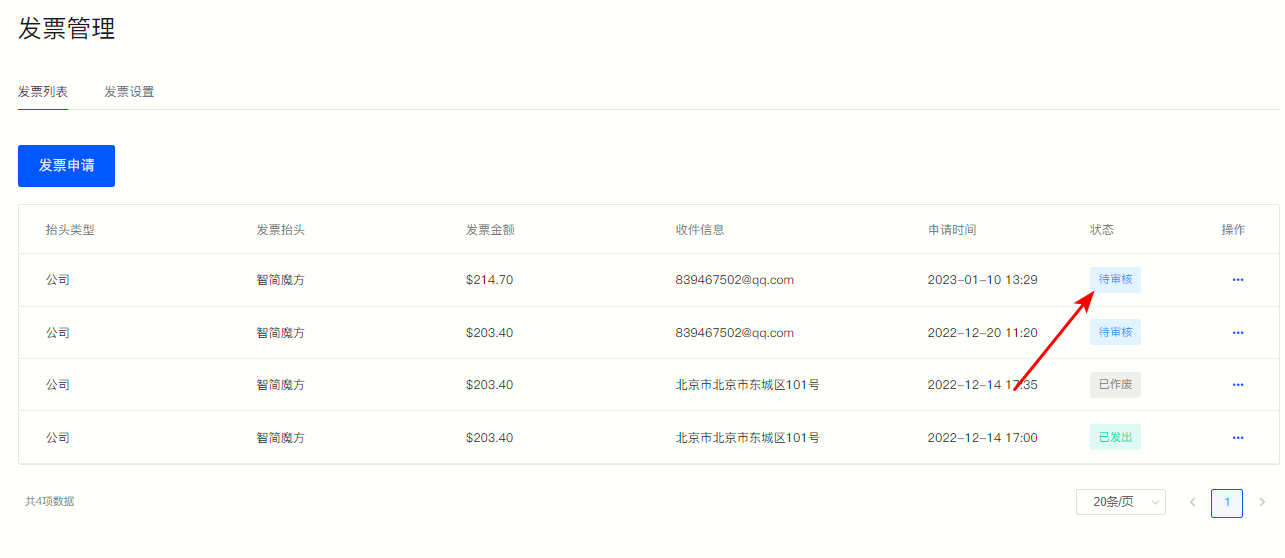
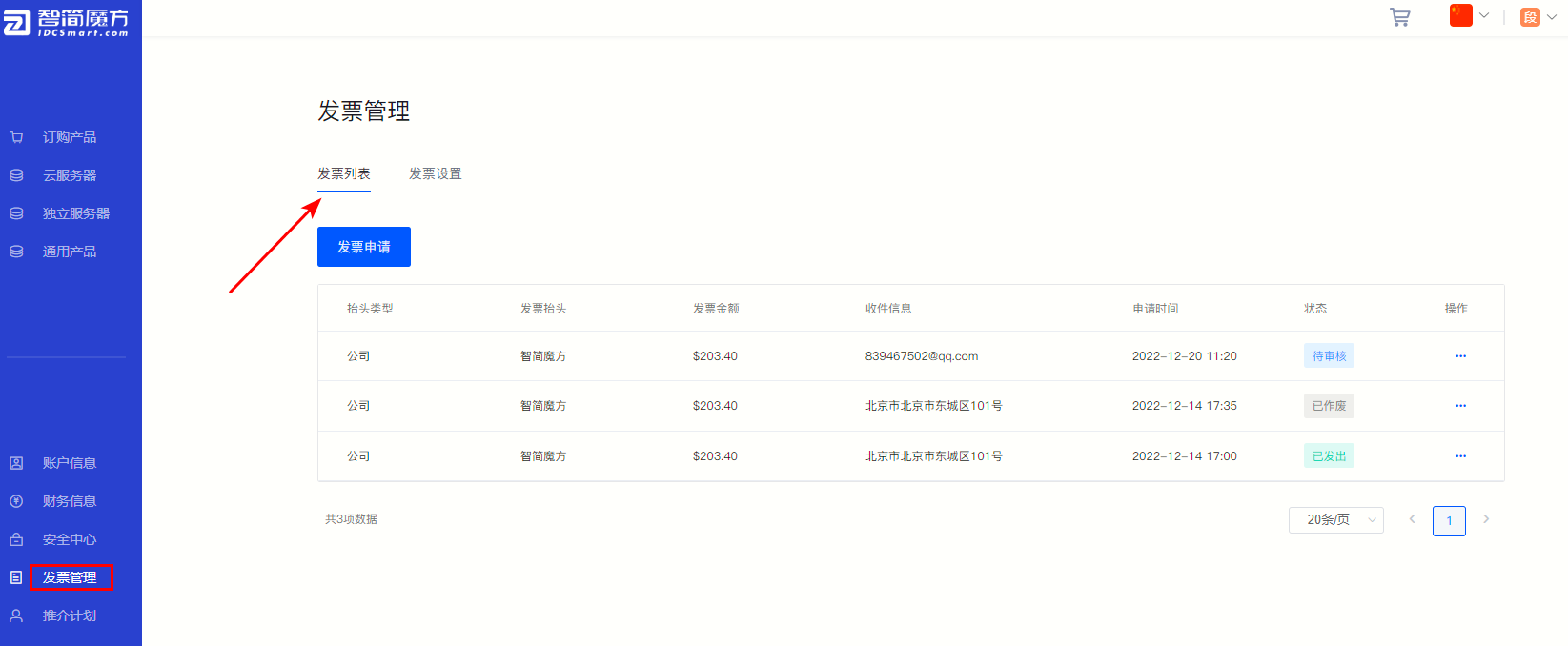
①Log in “Member Center” , click “Invoice Management” , select "Invoice List" 。
Figure 1
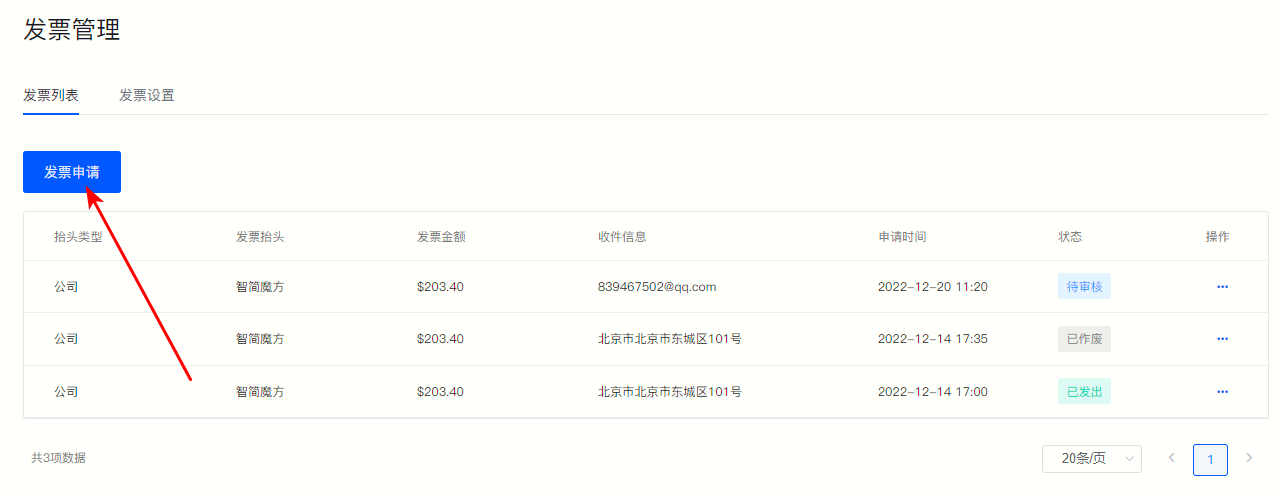
②Click the upper left corner "Invoice Application" 。
Figure 2
③On the jump page, you can choose "Later invoicing" or "Pre-invoicing" 。
Post-invoicing: The invoice has been paid and needs to be issued after receipt of the goods is confirmed.
Pre-invoice: The payment for the goods has not been paid, and an invoice needs to be issued before payment after the order is generated.
Figure 3
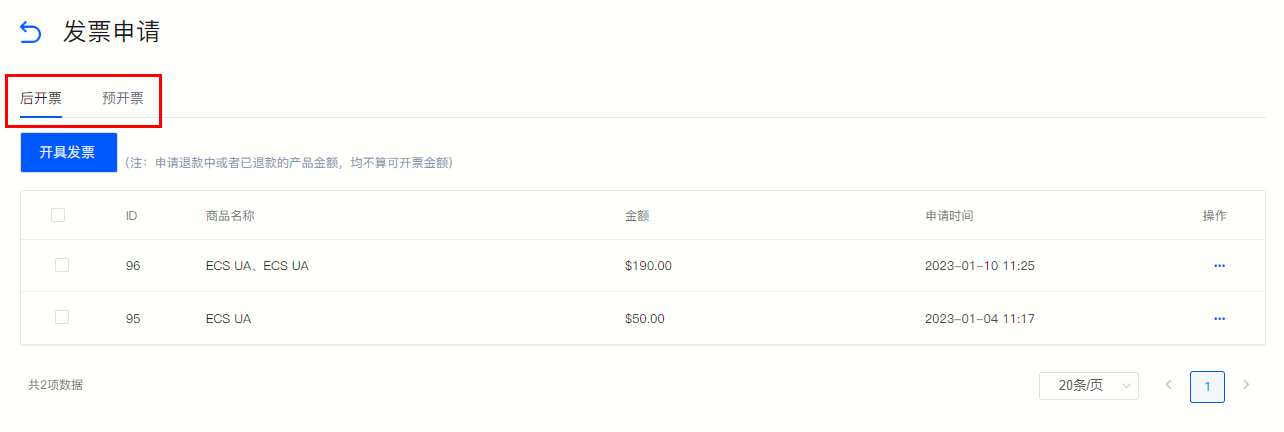
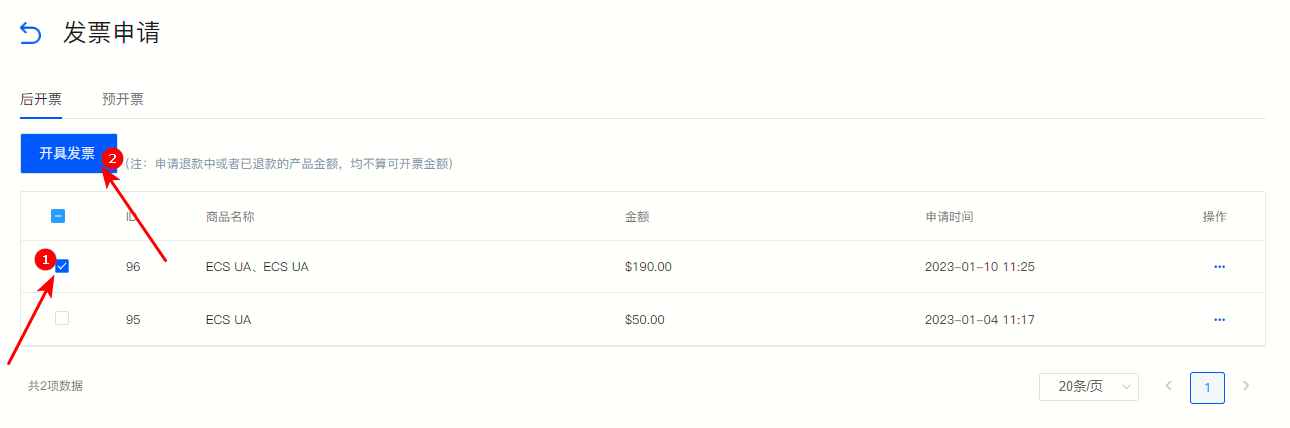
④After checking the products for which invoices need to be issued, click on the upper left corner "Issue an invoice" 。
Figure 4
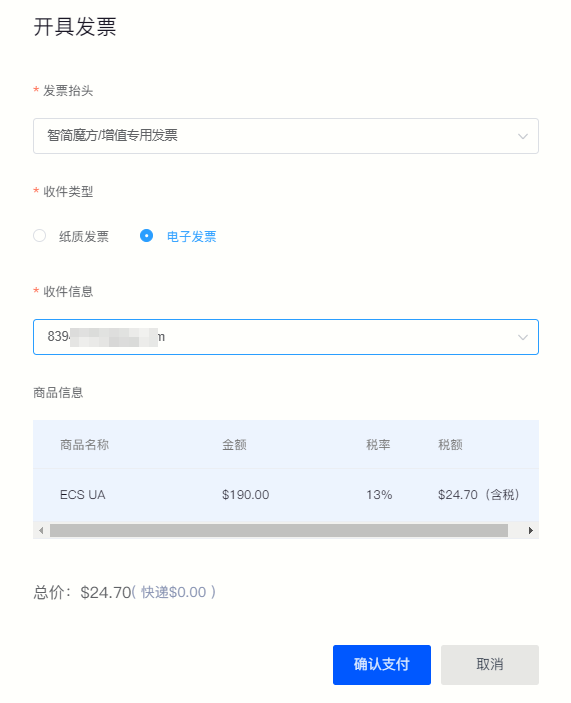
⑤ Fill in the relevant information according to the field prompts on the pop-up page, and click "Confirm payment" That’s it.
Figure 5
⑥at "Invoice List" You can view the submitted invoice application and progress.
Figure 6